Get back in when your access is paused
You opened Aligned and found a locked screen instead of your chats. It isn't a bug, and nothing of yours is lost: staff seats come with your church's Pro plan, and that plan isn't on right now. The fix is on your church owner's side — here's how to let them know.
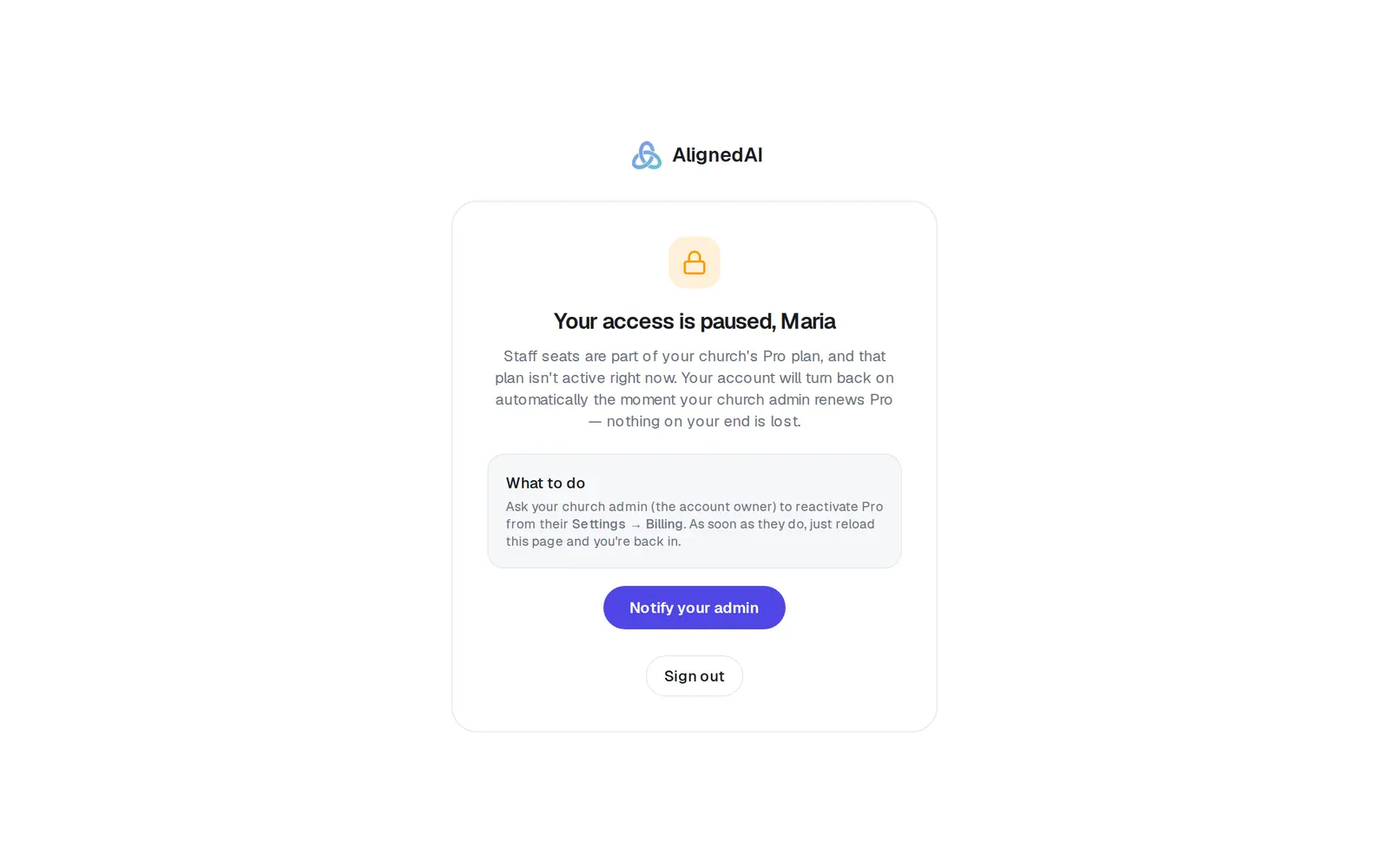
1/5 · Check the heading: Your access is paused means your church's Pro plan isn't on
Good to know
- The note goes out at most once a day. If you press it again, it says your admin was already notified today.
- Sign out is at the bottom of the screen if you need it.
- Church owners never see this screen. If your plan lapses, you drop to the free plan and keep working — and your staff come back as soon as Pro is on again.
If it’s not working
It says “We couldn't send that just now — please try again in a minute.”
The note didn't go out. Wait a minute and press the button again, or tell your pastor directly.
Our church only paused Pro, but I see “Your seat is saved”
That's the screen staff see while Pro is paused. It clears when Pro restarts on its date, or when your pastor presses Restart Pro now in Settings → Billing. Then reload the page.
My pastor turned Pro back on but I still see this screen
Reload the page. The app checks your church's plan each time it loads.
I'm the owner and my staff are seeing this
Turn Pro back on in Settings → Billing: press Restart Pro now if it's paused, fix a declined card, or upgrade. Then ask them to reload the page.
Next, you might want to
- Keep Pro when your card is declinedFix a failed payment in a minute, before Pro pauses for you and your staff.
- Upgrade to ProWhat Pro adds, what it costs, and how to pay monthly or yearly — on the web or from the phone or Mac app.
- Give your staff their own loginInvite an associate pastor, assistant or comms person, and resend or cancel an invitation.
- Get help from a real personMessage the Aligned team, send a feature idea or bug report, and know what happens after you send.