Keep Pro when your card is declined
An email says your payment didn't go through, or a “Card declined” window greeted you in Aligned. Nothing is lost, and there's time: Pro keeps working for 7 days after a payment fails. Adding a working card retries the payment and puts everything right.
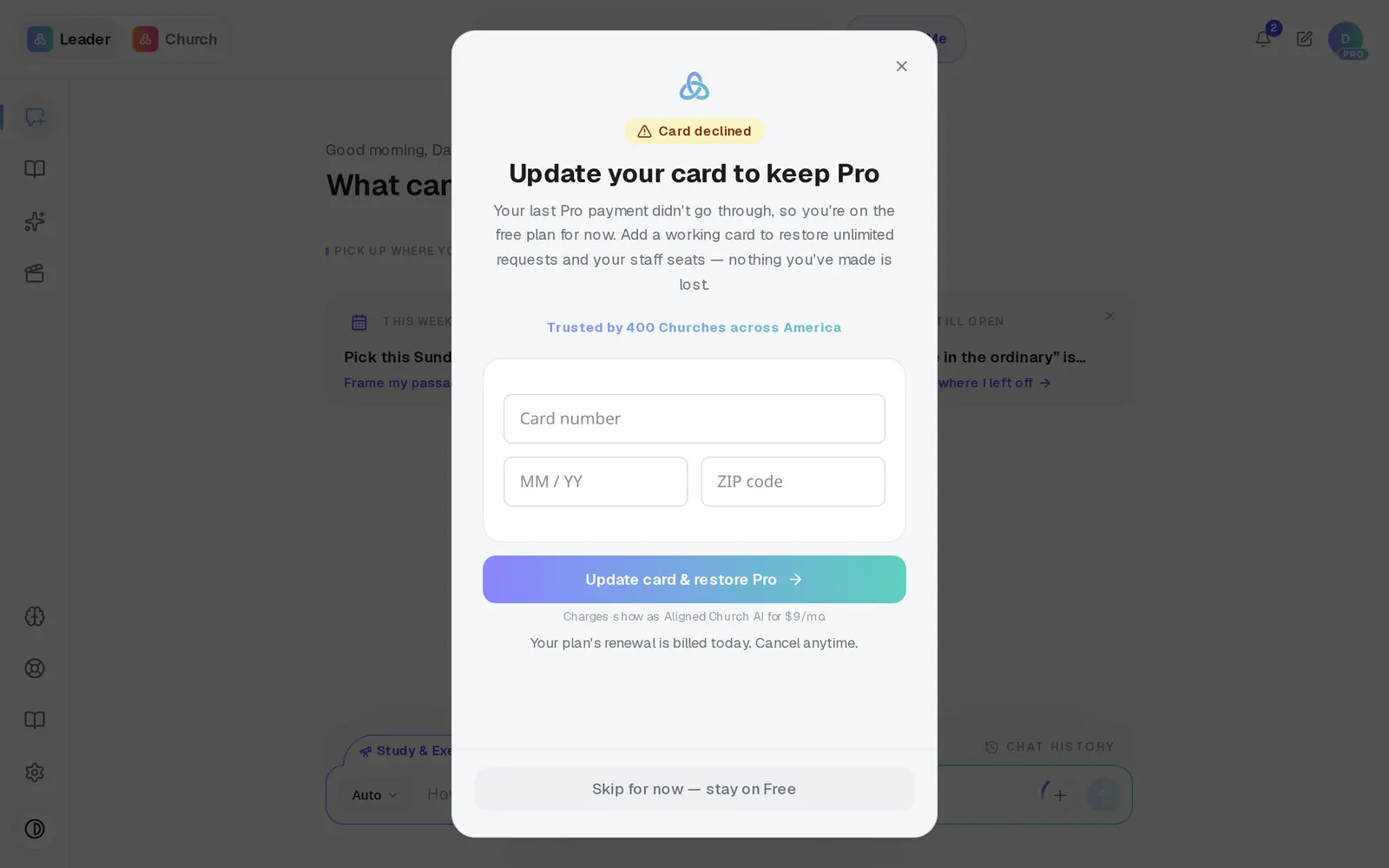
1/7 · Open Aligned and find Update your card to keep Pro
Good to know
- After 7 days without a working card, your church drops to the free plan and your staff see a paused screen. Nothing is deleted, and updating the card brings it all back.
- While a payment is outstanding, every Unlock Pro button opens this card window instead, because your plan is still there — it only needs a card.
If it’s not working
It says “That card was also declined. Please try a different card.”
The new card didn't go through either, and nothing was charged. Try another card. If you're sure the card is good, your bank can tell you why it was turned down.
It says “No billing account yet. Start a Pro subscription first.”
Your church has never had a subscription to attach a card to. Press Unlock Pro to subscribe the usual way.
The window says I'm on the free plan — did I lose Pro?
Not yet. That line is out of date: Pro keeps working for 7 days after the payment fails. Update the card within that time and nothing changes for you or your staff.
My staff say their access is paused
That happens once Pro lapses. Update the card here, then ask them to reload the page — they're back in with nothing to set up again.
Next, you might want to
- Change the card you pay withSwap the card Pro bills to without being charged or losing a day of Pro.
- Get back in when your access is pausedFor staff: what the paused screen means, and how to ask your pastor to turn your seat back on.
- Get a receipt or ask for a refundWhere Pro receipts go, when your next charge is, and how to ask a person about a charge.
- Cancel Pro (and what happens to your work)Cancel your subscription, what you keep, and when it takes effect.