Keep a private journal
Not every thought is ready to be a sermon yet. The Journal is a private place to write, talk or snap a photo of your notes. It's yours alone: nothing in it goes into your church's Brain or your drafts unless you choose to use it.
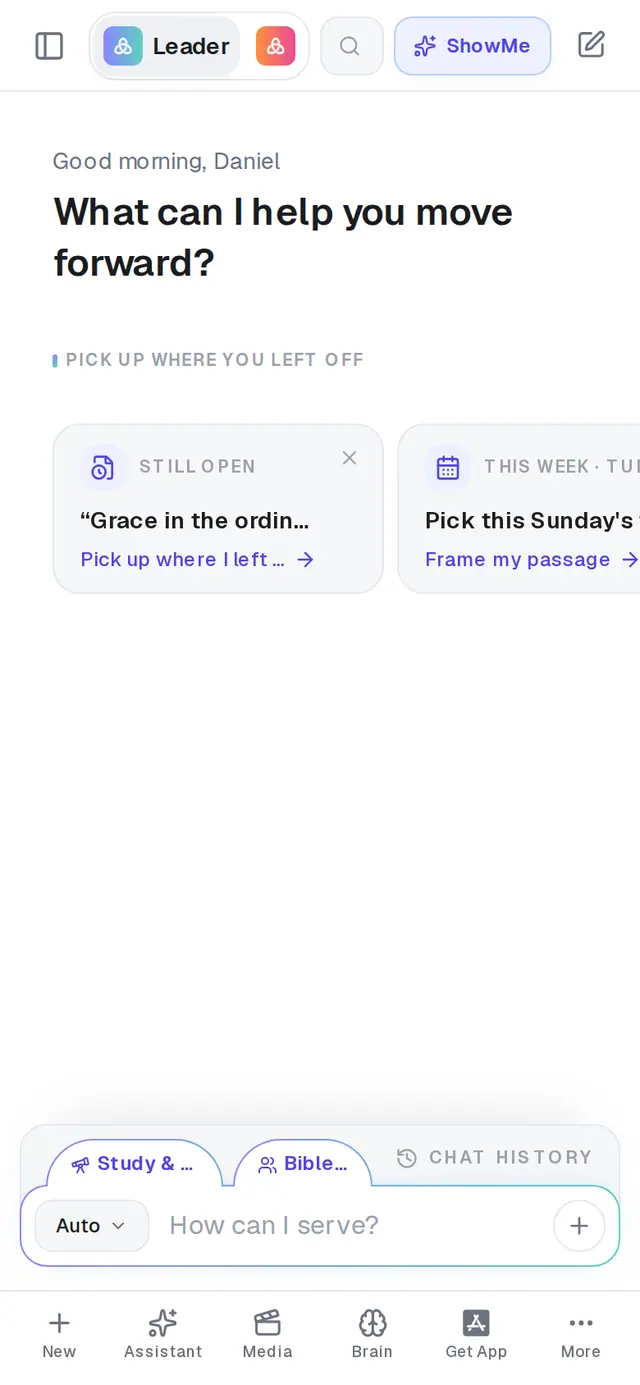
1/7 · Tap More at the bottom of the screen
Good to know
- On the Journal page, Record starts a new entry from a voice note, and Photo turns a picture of handwritten notes into a new entry — it reads the writing and names the entry from its first line. On a phone, Photo can open your camera.
- The picture icon at the top of an entry adds a photo to it. Right after you add one, Extract text under the photo copies its writing into the entry.
- Ready to preach it? Turn into at the top of an entry makes it a sermon, devotional, Bible study, book chapter and more. The entry stays in your journal.
- There's no download for the journal. To keep an entry somewhere else, copy its text out by hand.
If it’s not working
I can't find the trash on my phone
Open the entry and tap the trash at the top-right. The trash on a card in the list only shows when you hover over it with a mouse. Deleting is immediate: there's no confirmation and no undo.
It says “Couldn't transcribe that photo.”
Aligned couldn't read the writing in that picture. Try again with the page flat and filling the frame, or type the entry instead.
Extract text isn't under my photo
It's offered only right after you add a photo, while the entry is still open. To pull the writing out of a picture later, use Photo on the Journal page — it makes a new entry from the text.
It asks me to create an account
The Journal is for signed-in accounts. Create a free account and your journal is there.
Next, you might want to
- Turn journal reflections into a sermonStudy the Scripture behind an entry, then turn one or more entries into a sermon, study or book chapter.
- Find your way around on your phoneThe bar along the bottom, the More menu and its search — where everything in Aligned lives on a phone.
- Write a book one chapter at a timeStart a book, write its chapters with Aligned, and keep them together in one place.