Look up the Greek or Hebrew behind a word
A word study can change the direction of a sermon, and you'll want to check one for yourself before you preach it. Every verse Aligned quotes opens with the original Greek or Hebrew paired to the English — tap a word and its Strong's entry opens beside the chat.
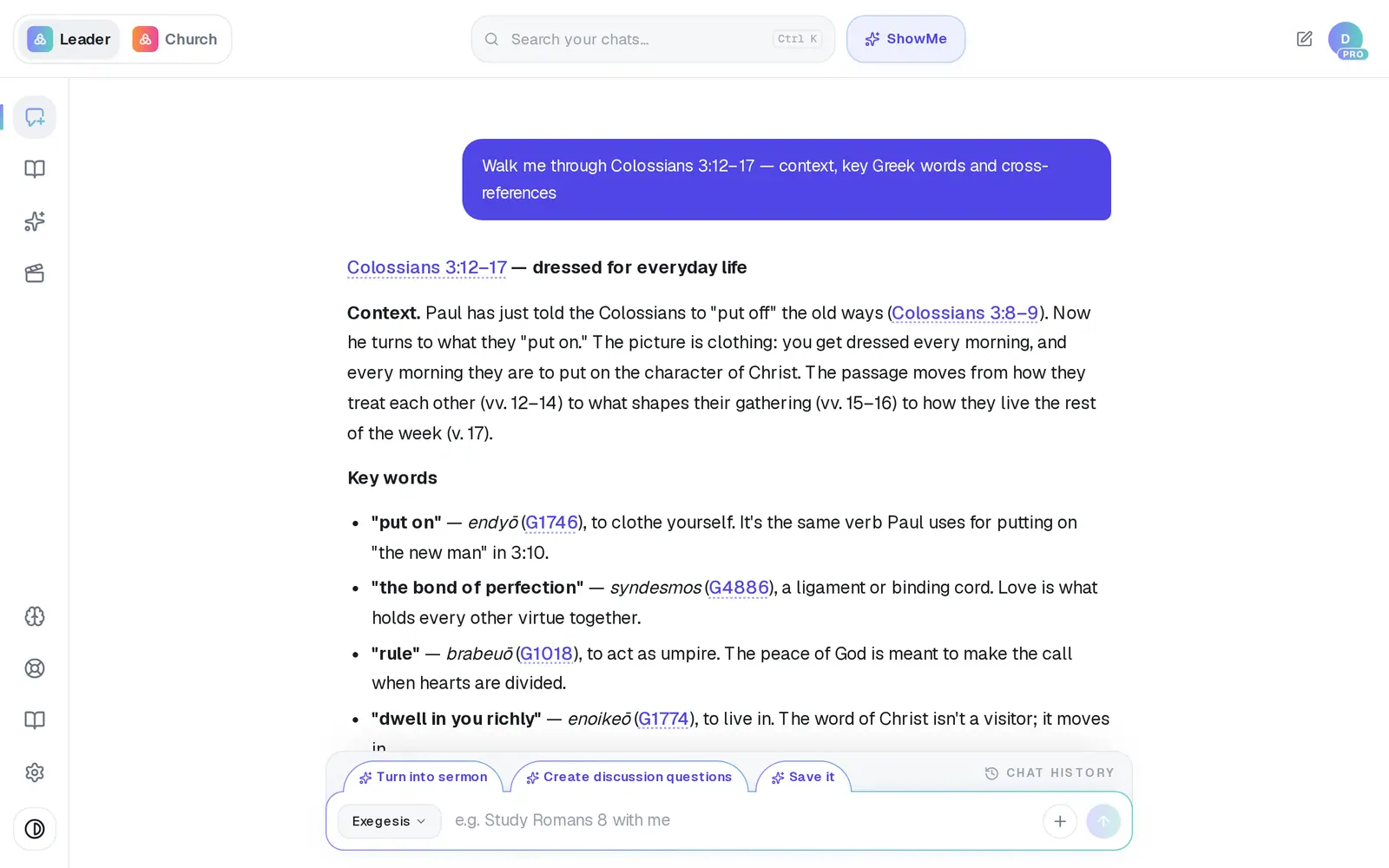
1/5 · Tap a Scripture reference in the answer
Good to know
- Strong's numbers in an answer, like G1018, are tappable too. One tap opens that entry directly.
- Old Testament verses show Hebrew and New Testament verses show Greek. The line above the verse says which.
- On a phone the panel slides up from the bottom of the screen.
- For a fuller word study, ask in Study & Exegesis: “What does ‘rule’ mean in Colossians 3:15?”
If it’s not working
It says “Strong's pairings aren't available for this verse.”
The pairings come from the KJV, and a few verses don't have them. Your translation's text still shows underneath. Try a neighboring verse, or ask about the word in the chat.
It says “No concordance entry found.”
That entry didn't load. Close it and tap the word again.
Tapping a reference does nothing
On a phone, a tap while the answer is still being written can be lost. Wait for the reply to finish, then tap again.
Tapping a reference asks me to create an account
The study panel is for signed-in accounts. Create a free account and the same reference opens the passage.
Next, you might want to
- Open and read the verses Aligned quotesTap any Scripture reference to read the passage in your translation beside the chat.
- Study a Bible passage in depthAsk about a passage, open the verses, and dig into context, cross-references and original words.
- Choose which Bible translation Aligned quotesPick the translation Aligned quotes from, and the ones it shows beside it for comparing.