Open and read the verses Aligned quotes
Before you preach a verse, you want to read it where it sits. Every Scripture reference Aligned writes, in a reply or in your draft, opens the passage right beside your work, in your church's translation, so you can check it without leaving the page.
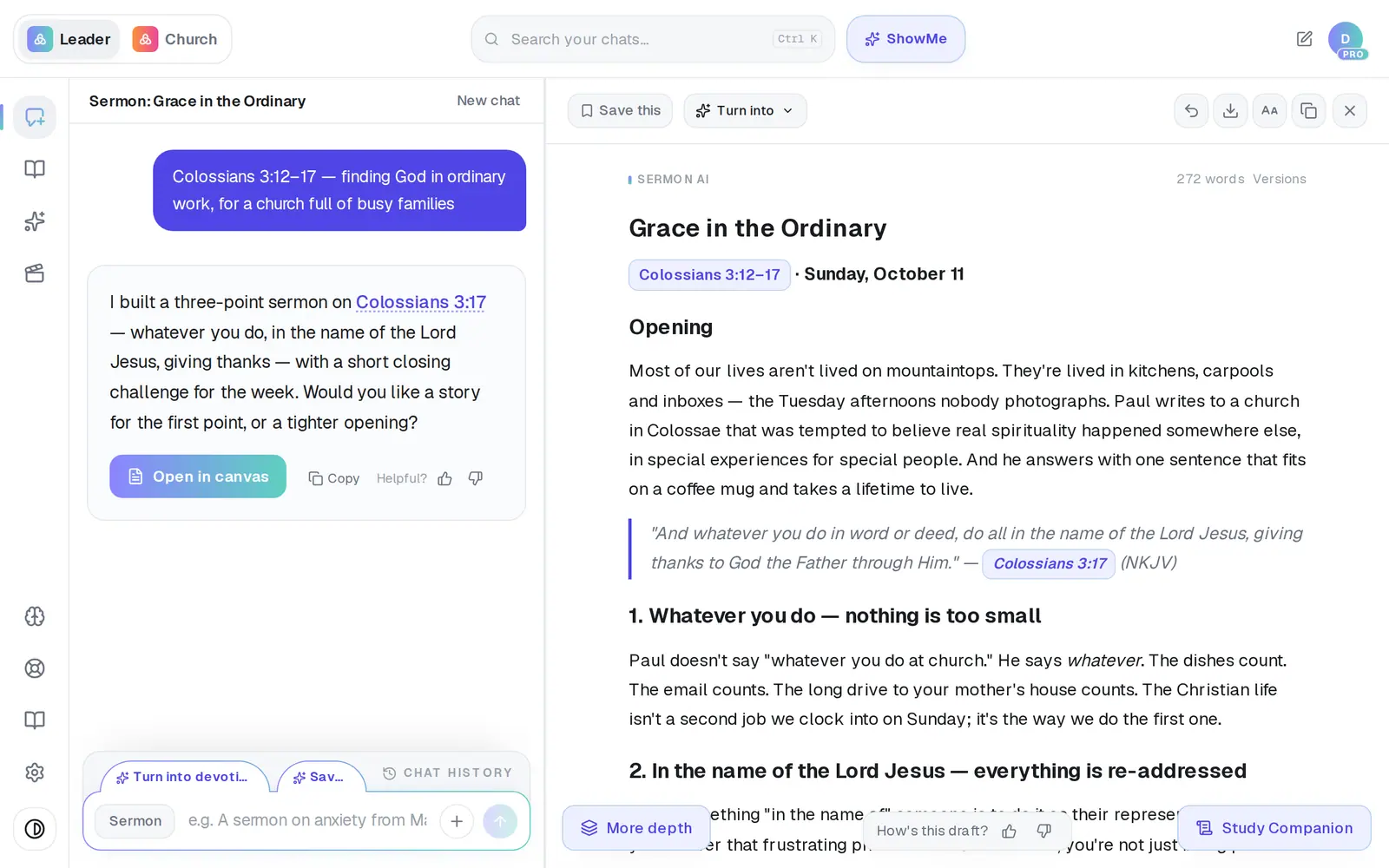
1/5 · Tap a Scripture reference in your draft or in Aligned's reply
Good to know
- No reference to tap? Ask for the passage — “show me Romans 8:28–39” — and tap the reference in the answer. There's no separate Bible to browse.
- Where a reply writes a verse out, a small Dive into Strong's link after it opens the same panel.
- On a phone the panel slides up from the bottom of the screen.
- When you copy or export a draft, its references come out as plain text.
If it’s not working
It says “NKJV (ESV license pending)”
We're working on securing a license for that translation. Until then, verses that would be ESV or NIV come through in the NKJV. If you'd rather use the CSB, the church owner can star it in Settings → General → Bible translations.
I typed a verse and it isn't a link
Only references Aligned writes can be tapped; one you type yourself stays plain text. Ask for the passage — “show me Psalm 23” — and tap the reference in the answer.
It says “Couldn't load this passage. Please try again.”
The verses didn't come through that time. Close the panel and tap the reference again.
Tapping a reference does nothing
On a phone, a tap while the answer is still being written can be lost. Wait for the reply to finish, then tap again.
Tapping a reference asks me to create an account
The study panel is for signed-in accounts. Create a free account and the same reference opens the passage.
Next, you might want to
- Look up the Greek or Hebrew behind a wordOpen a verse Aligned quotes, tap a word, and read the Greek or Hebrew behind it in Strong's.
- Study a Bible passage in depthAsk about a passage, open the verses, and dig into context, cross-references and original words.
- Choose which Bible translation Aligned quotesPick the translation Aligned quotes from, and the ones it shows beside it for comparing.