Study a Bible passage in depth
Before you write a word of the sermon, you want to understand the text. Study & Exegesis works through a passage with you — its context, its structure, the Greek and Hebrew behind key words, and where else Scripture says the same thing — and every reference in the answer opens the verses right beside the chat.
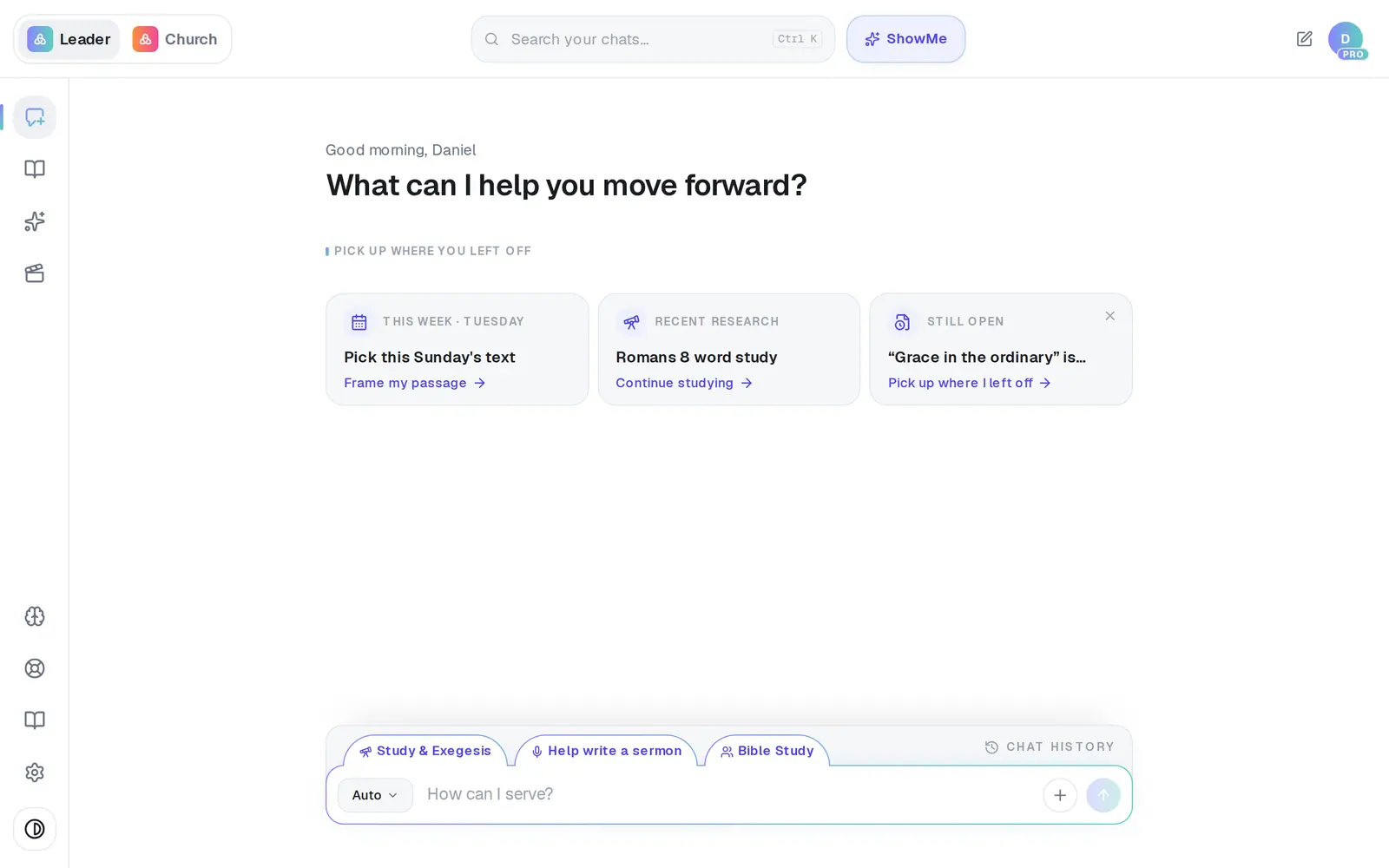
1/6 · Tap Study & Exegesis just above the message box
Good to know
- Keep going in the same chat: “What does ‘rule’ mean in verse 15?” or “How does this connect to Ephesians 4?” builds on what you've already studied.
- Ready to write? Tap Turn into sermon above the message box, or Turn into under the answer for a Bible study, devotional, kids lesson or lecture.
- Your last study waits on the empty chat screen as a Recent research card — tap Continue studying to pick it back up.
- There's no separate Bible to browse. To read any passage, ask for it (“show me Psalm 23”) and tap the reference in the answer. A reference you type yourself stays plain text.
If it’s not working
I asked about a passage and it wrote a sermon
In Auto, a message that asks for something to be written becomes a document. Choose Study & Exegesis first when you want to study the text rather than draft from it.
Tapping a reference does nothing
On a phone, a tap while the answer is still being written can be lost as the reply redraws. Wait for it to finish, then tap again.
It says “Couldn't load this passage. Please try again.”
The verses didn't come through that time. Close the panel and tap the reference again.
Tapping a reference asks me to create an account
The study panel is for signed-in leaders. Create a free account and the same reference opens the passage.
Next, you might want to
- Open and read the verses Aligned quotesTap any Scripture reference to read the passage in your translation beside the chat.
- Look up the Greek or Hebrew behind a wordOpen a verse Aligned quotes, tap a word, and read the Greek or Hebrew behind it in Strong's.
- Turn your study into a sermonTake the research you just did in the chat and turn it into a full sermon draft — or a study, devotional, lesson or lecture.
- Write this Sunday's sermonGo from a passage or topic to a full sermon draft in your tradition, ready to shape.