Turn your study into a sermon
You've spent an hour in the text — the context, the key words, the cross-references. Don't start the sermon from a blank page: one tap turns that study into a full sermon draft built from it, in a new chat, and your study stays right where it was.
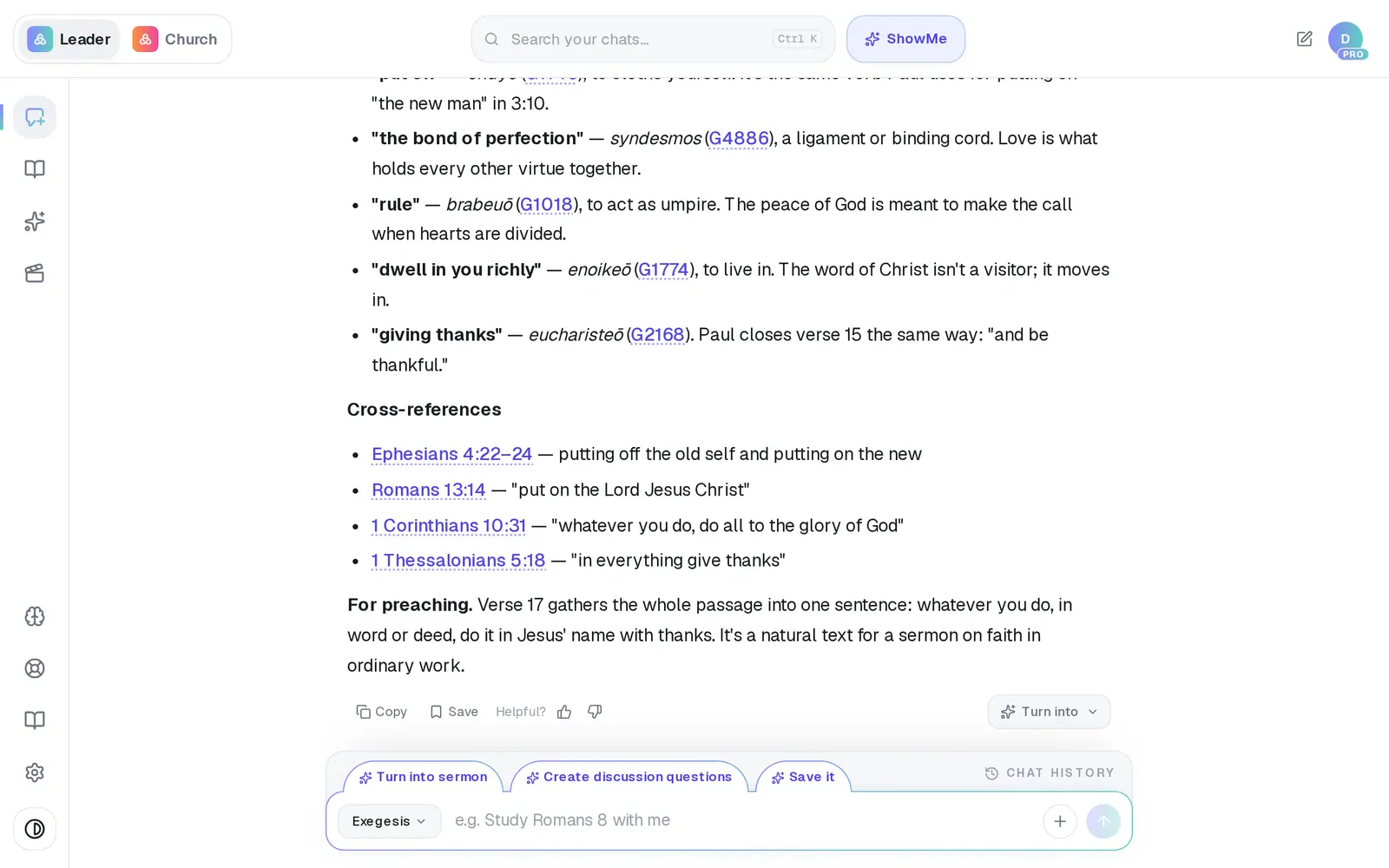
1/5 · Tap Turn into under the study answer
Good to know
- The Turn into sermon tab just above the message box does the same for the latest study answer, in one tap. Create discussion questions beside it makes a Bible study.
- Turn into builds from the one answer you tap, so choose the answer with the most study in it.
- Want a preaching outline rather than a full manuscript? Ask for it in the new chat (“make this an outline”), or set your output format to Preaching outline in Brain → Sermon Format.
If it’s not working
I don't see Turn into under the answer
It shows under Study & Exegesis answers that have study material to build from — not under a short reply or an answer about how to use the app — and only when you're signed in. You can always ask in words: “turn this study into a sermon.”
My study disappeared
It's still there. Turning a study into a sermon starts a separate chat; open Chat History and tap the study.
The sermon isn't about what I studied
Turn into works from the answer you tapped. If that answer was mostly a question back to you or a short aside, go back to the study, tap Turn into under the fuller answer, and try again.
Next, you might want to
- Study a Bible passage in depthAsk about a passage, open the verses, and dig into context, cross-references and original words.
- Write this Sunday's sermonGo from a passage or topic to a full sermon draft in your tradition, ready to shape.
- Turn your sermon into a devotional or studyUse Turn into to make a devotional, small-group study, kids lesson or social posts from a finished draft.
- Does Aligned write my sermon for me?What Aligned does in sermon prep, what stays yours, and how to use it without losing your voice.