Put a QR code on a graphic
"Go to our website and click Give" loses half the room. A QR code on the slide doesn't: save the link once, pick it when you make a graphic, and Aligned sets a sharp, scannable code in the corner of every option.
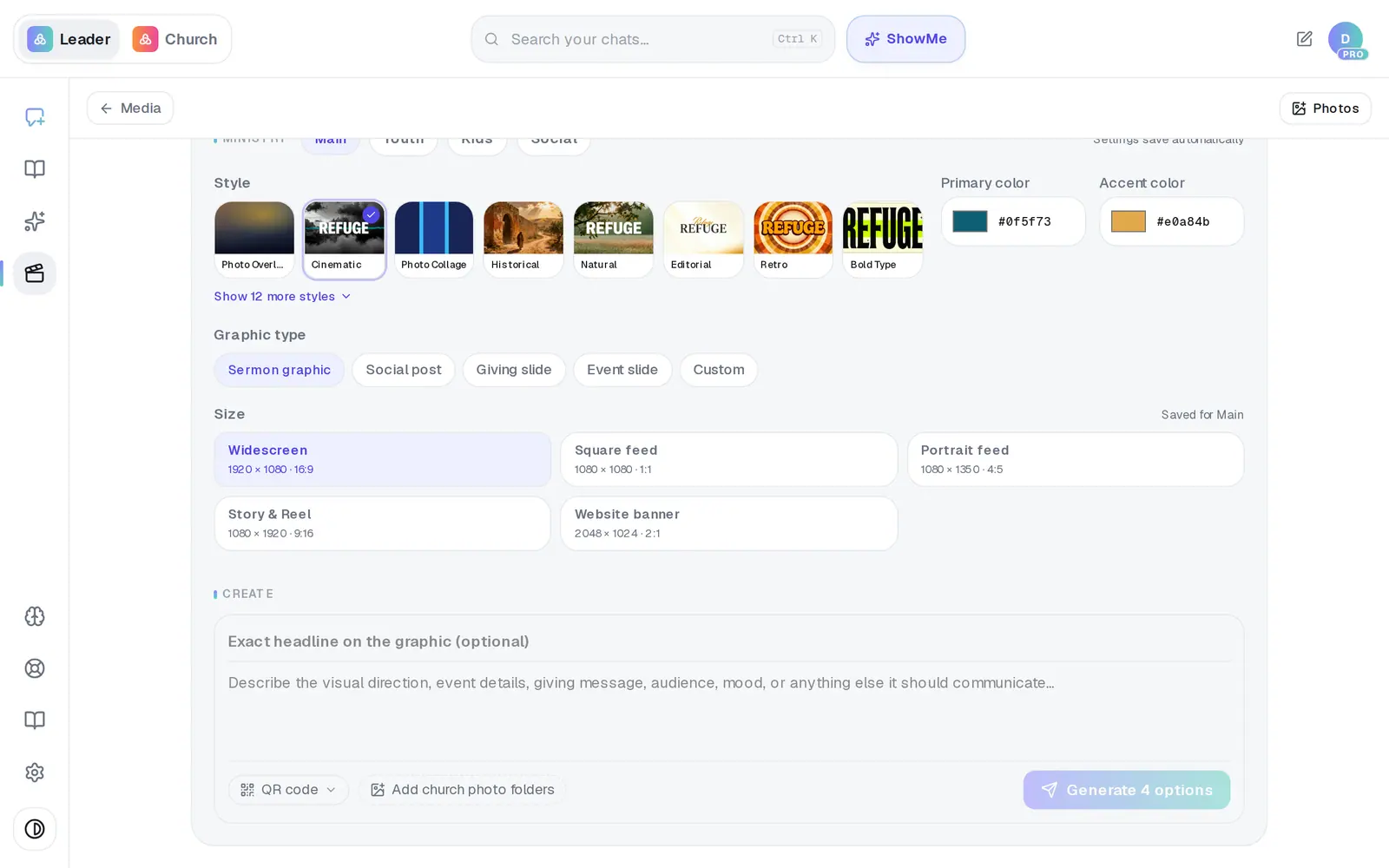
1/7 · In the Media Generator, press QR code under the writing box
Good to know
- If your church has a giving page in Aligned Church, Giving page is already in the list, and Text to give joins it once your church has a texting keyword, so you don't need to make your own. Both can show up while your giving application is still in review. Wait until it's approved before either goes on a slide.
- Making a giving slide? Choose Giving slide as the graphic type. It keeps the lower-right corner calm for the code.
- To make a graphic without the code, open the list again and pick No QR code.
If it’s not working
My code has no little picture in the list
The web address is too long to fit in a QR code. The code still saves, but shorten the link and make it again.
It says “Enter a name and valid URL”
The code needs a name and a full web address that starts with https://. Copy the address straight from your browser rather than typing it.
The code looks blurry
That's the small preview. The code on the finished file is sharp — download the graphic and look at it full size.
How do I delete a code I don't need?
Open the QR code list and press the trash can at the right end of the code's row. On a computer it appears when you point at the row; on a phone it stays hidden, so tap the far right end of the row. It's deleted straight away, with no undo. Giving page and Text to give can't be deleted: they come back the next time the list loads.
It says “QR compositing requires image storage to be configured”
Nothing is wrong with your code or your account. Make the graphic without a QR code for now, and message us from Support.
Next, you might want to
- Make a sermon graphicGet four finished options for a sermon slide, social post, giving slide or event graphic — in your church's style.
- Save, download or find a graphic you madeKeep the option you like, download it, make a fresh batch, and find every graphic your church has saved.
- Share your giving link and QR codeCopy your giving page's link and download its QR code for slides, bulletins, connect cards and emails.