Put a weekly report or task on autopilot
If you pull the same numbers every Monday, or forget to hand a new guest's welcome call to the right person, an automation can do it for you. You pick what happens and what Aligned should do, it drafts the whole thing, and nothing runs until you publish it.
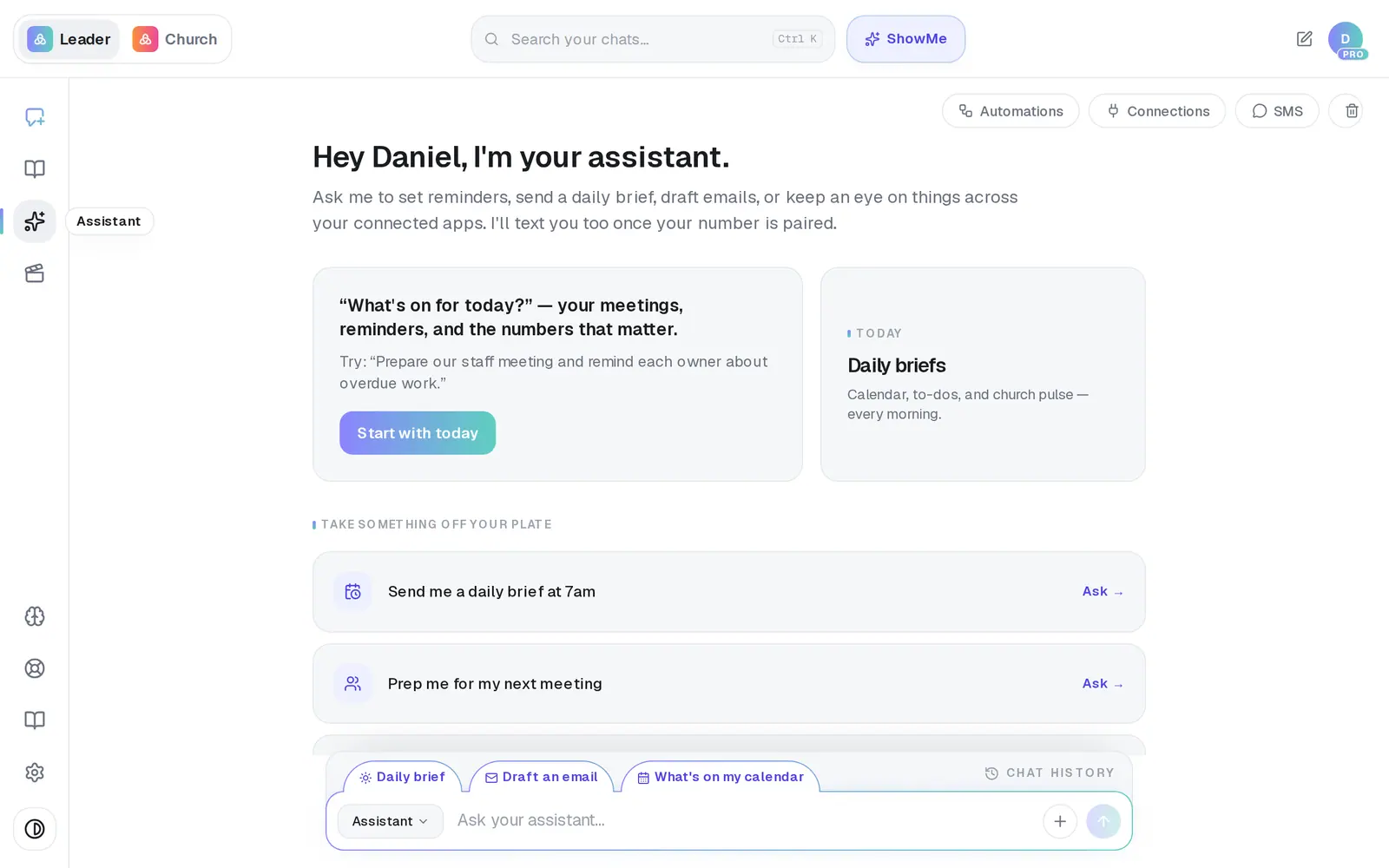
1/7 · In your Assistant, press Automations at the top right
Good to know
- Rather say it in your own words? Type it under Or describe it yourself — “Every Monday at 8am, text me a report of last week's giving and any first-time gifts” — and press Build automation.
- To hand work to a teammate, pick Add a task and A staff member, and type their name. The task shows in the “Your to-dos” part of their daily brief, and they're told about it once.
- Planning Center is the only app whose events can start an automation — “when someone gives for the first time”, “when a new person is added”. Other app names on the cards draft fine but can't be published. A schedule (“every Monday at 8am”) needs no app to start it.
- Once it's live, it sits under Live Automations in the same list. Open it any time to change it, pause it or see what it sent.
If it’s not working
Pressing Build it opened the Pro page
The free plan includes 1 automation, and your church already has one. Your daily brief doesn't count, but a recurring reminder does. The church's owner can delete one you no longer need from its Settings tab — or move to Pro for unlimited automations.
Publish says “Connect Planning Center before publishing.”
A step reads from an app that isn't connected yet. Press Connect Planning Center on that step (or open the Connections tab), sign in, and publish again.
Publish says “Only Planning Center event triggers are currently supported.”
The trigger starts from an app other than Planning Center. Press Change app on the trigger card and choose Planning Center, or build it on a schedule instead.
“You don't have permission to publish automations.”
Staff can build and test an automation, but only the church's owner or an admin can publish it. Ask one of them to open it and press Publish.
The draft is called “Draft:” followed by my own words
Aligned couldn't plan that one automatically, so it saved your words as a starting point instead of guessing. Edit the steps by hand, or build it again with simpler wording.
Next, you might want to
- Change, test or pause an automationChange an automation's steps, test a step on yourself first, then republish it, pause it or delete it.
- Check or fix an automation that didn't runFind out why an automation didn't send, reconnect the app it relies on, and approve runs that are waiting on you.
- Get alerts about gifts and prayer requestsBe told when someone gives for the first time, when a week's giving drops, or when a prayer request comes in.
- Connect Planning Center or your church softwareLink Planning Center, Breeze, Givebutter or Donorbox so your assistant can answer from your church's real giving, people and serving data.