Connect Planning Center or your church software
Your assistant can't tell you who gave last week or who's new until it can see your church software. Connecting takes a couple of minutes, it's free on every plan, and you only do it once — the same connection works everywhere in Aligned.
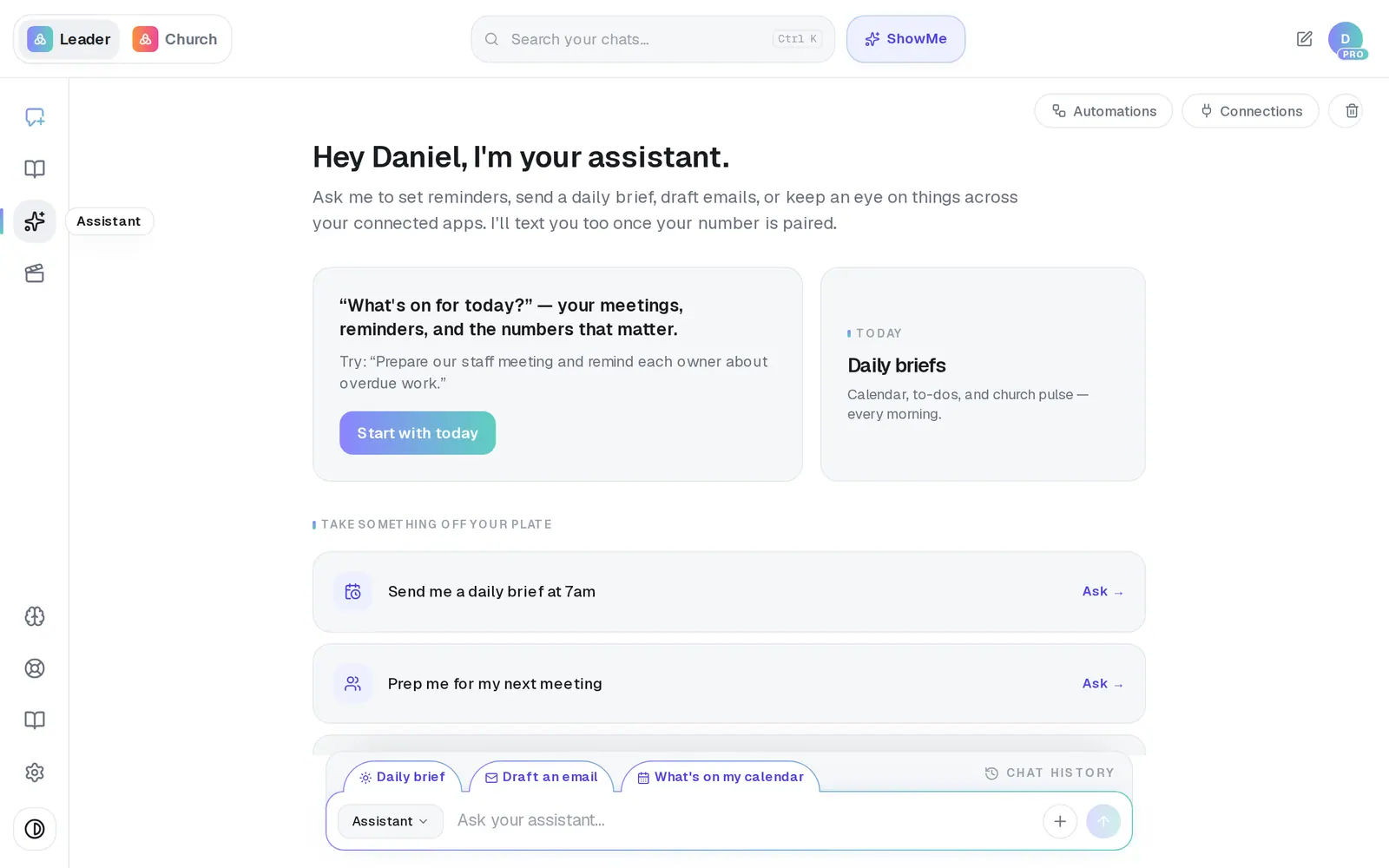
1/7 · In your Assistant, press Connections at the top right
Good to know
- It's one list for the whole church. Connect an app here and it's connected in Settings, the Brain and Aligned Church too — no need to do it twice.
- Planning Center is the only app that can start an automation — “when someone gives for the first time…” — and the only one the prayer-request monitor can watch.
- To disconnect, press Disconnect next to the app. Any automation that relied on it is paused.
- Don't see your software? If it works with Zapier or Make, it can usually reach Aligned through the Webhook (Zapier / Make / n8n) entry in the same list.
If it’s not working
I connected our app, but the assistant still has no numbers
Planning Center, Breeze, Givebutter and Donorbox are the apps that feed your assistant. Other apps in the list don't send it your numbers. With one of those four, the first sync can take a little while.
I tapped our app and there's nothing to fill in
That app can't be connected to Aligned, so there's nothing to enter — nothing is wrong on your side. If it works with Zapier or Make, you can usually bridge it through the Webhook (Zapier / Make / n8n) entry in the same list.
“The connection is fenced, but one or more remote triggers still need cleanup…”
Disconnecting Planning Center couldn't finish tidying up on Planning Center's side. Press Disconnect again rather than connecting on top of it. If it keeps happening, message us from Support.
I turned on Aligned Email, but my assistant still can't send email
Aligned Email only sends Aligned Church's automation emails and messages — it isn't a mailbox. For email in your assistant, connect Gmail or Outlook on the Email tab.
I connected in the phone app, but it still says not connected
The approval finishes in your phone's browser, and nothing takes you back automatically. Switch back to Aligned yourself — the list refreshes on its own.
Next, you might want to
- Ask about your giving and attendance numbersAsk your assistant how giving is trending, who hasn't confirmed to serve on Sunday, or how the church is doing — answered from your own church software.
- Get alerts about gifts and prayer requestsBe told when someone gives for the first time, when a week's giving drops, or when a prayer request comes in.
- Connect Zapier, Make or n8nLet Zapier, Make or n8n start one of your automations — your website form, a sign-up sheet, any app they reach.
- Connect your email and calendarLink Gmail or Outlook so your assistant can read your calendar, draft email from your own mailbox and find your files — or share only your calendar.