Rewrite, expand or shorten one paragraph
Most of the draft works; one paragraph doesn't. Instead of explaining which part you mean, highlight it. Aligned changes just that passage and leaves the rest of your draft exactly as it was.
About 2 minutes Works on the free planUpdated September 29, 2026
aligned.church/leader
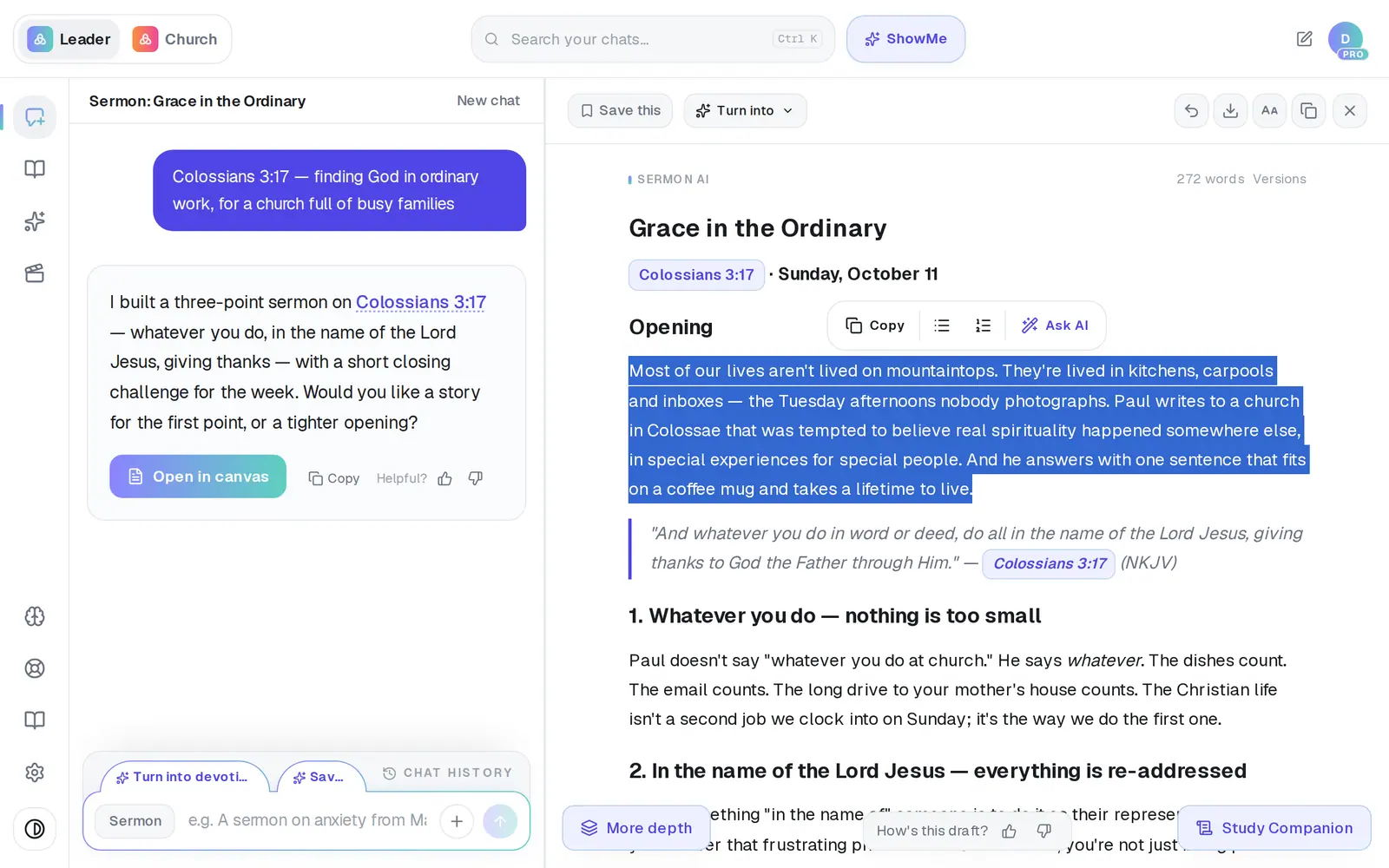
1/5 · Highlight the passage you want to change
Before you start: Open the draft in the canvas and wait for it to finish writing — the highlight tools don't appear while Aligned is still writing.
Good to know
- Dive deeper doesn't touch your draft. It opens a study of the highlighted passage in the chat — context, key passages, word study and cross-references.
- The two list buttons turn the highlighted lines into a Bullet list or a Numbered list, and Copy copies only what you highlighted. Neither uses a request.
- Each Ask AI action is a real request to Aligned, so on the free plan it can count toward your monthly allowance.
- For background on the whole sermon rather than one paragraph, tap Study Companion at the bottom-right of the draft.
If it’s not working
The bar doesn't appear when I highlight
Wait for the draft to finish writing — the tools are off until then. On a phone, lift your finger and give it a moment; the bar waits until the highlight stops moving.
I tapped Dive deeper and my draft didn't change
That's what Dive deeper does — it researches the passage in the chat and leaves the draft alone. Use Expand, Rephrase, Shorten or Add Scripture to change it.
Something else in my draft changed too
Tap Undo last change to put the previous version back, then try again on a slightly shorter highlight. You can also restore any earlier version from Versions beside the word count.
Did this help?
Next, you might want to
- Ask Aligned to improve your draftAsk for a stronger application, more Scripture or an illustration, and watch the draft change in place.
- Edit your sermon draft yourselfType straight into the draft, make the text bigger, and get back to the chat when you're done.
- Undo a change or get an earlier draft backStep back one change, restore an earlier version, or clear the canvas and start over.