Undo a change or get an earlier draft back
You asked for a change and liked the old version better. Nothing is lost: every time Aligned rewrites your draft, the version before it is kept, and you can put it back in one tap — or reach further back from the version list.
About 2 minutes Works on the free planUpdated September 29, 2026
aligned.church/leader
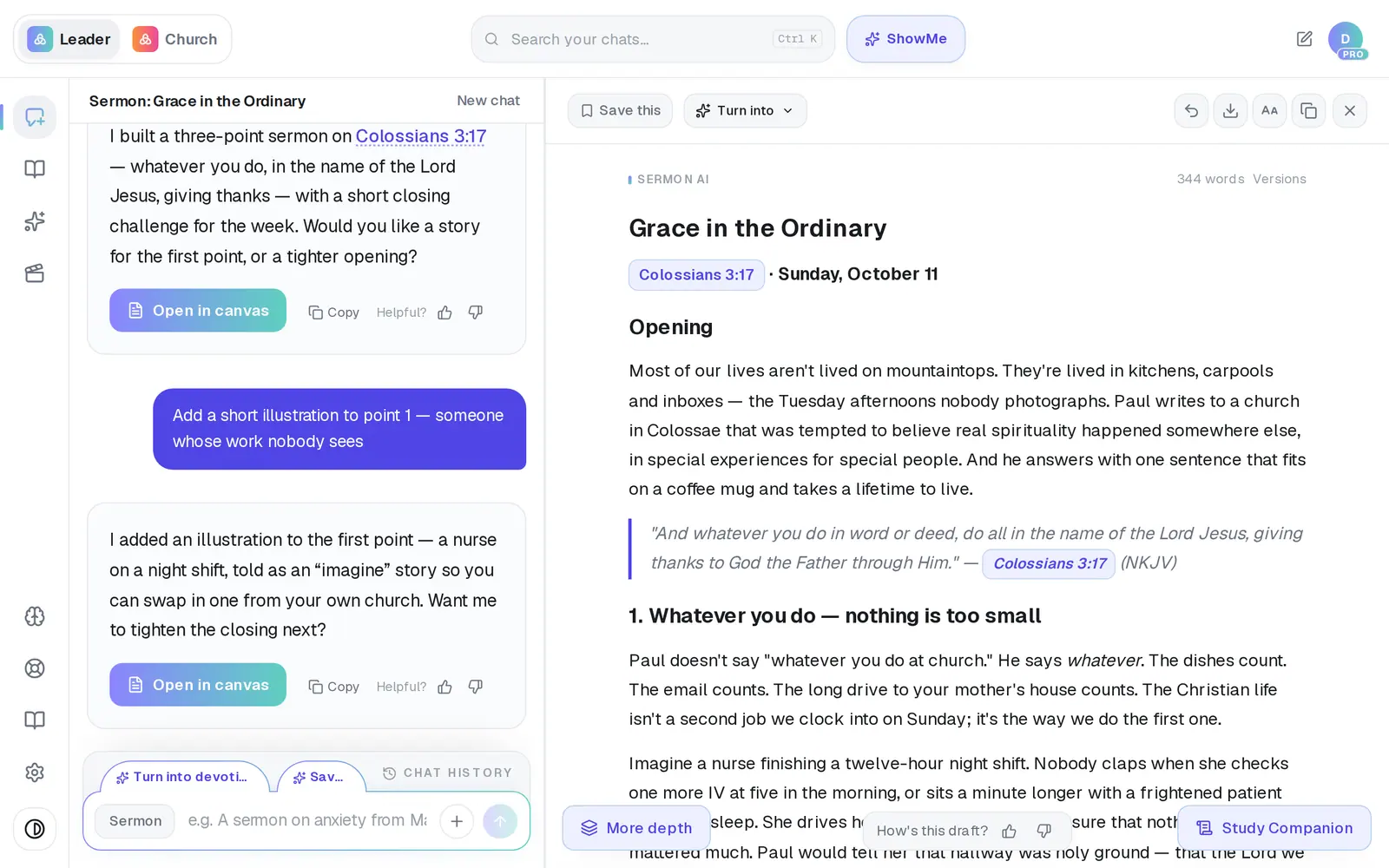
1/6 · Tap the curved arrow — Undo last change — at the top of the draft
Before you start: Open the draft in the canvas. The undo and version controls appear once a draft has an earlier version, and they step aside while Aligned is writing.
Good to know
- The three most recent versions are kept for as long as the draft exists. Older ones — up to ten in all — are kept for 24 hours, so the next morning you'll usually see three.
- “Go back to the previous version and make it 800 words” goes back and asks for a change at once. Because Aligned writes again, that one counts as a request.
- On a phone, the canvas has its own New chat icon at the top, and a New chat button just above the Tell me what to change… bar.
- Typing “start over” or “clear the canvas” on its own does the same as New chat.
If it’s not working
I don't see Versions or the undo arrow
They're hidden while Aligned is writing and come back when it finishes. A draft that has never changed has nothing to go back to yet.
I came back the next day and some versions are gone
That's expected: after 24 hours only the three most recent versions are kept. If you'll want an older draft later, tap Save this at the top of the draft to keep a copy in Saved Work.
I typed “go back to the one with the alliterated points” and it wrote something new
A typed undo only ever goes back one step, and describing a version doesn't reach it. Use Versions to pick the exact one.
Did this help?
Next, you might want to
- Ask Aligned to improve your draftAsk for a stronger application, more Scripture or an illustration, and watch the draft change in place.
- Edit your sermon draft yourselfType straight into the draft, make the text bigger, and get back to the chat when you're done.
- Save your sermon so you can find it laterSave a draft or an answer to Saved Work, and know for sure that it saved.
- Find a past chat or sermonGet back to a conversation from yesterday or last month, even if you only remember a phrase.