Ask Aligned to improve your draft
The first draft is rarely the one you preach. With the draft open, tell Aligned what's missing in plain words — a story for point one, a sharper application, another cross-reference — and it rewrites the draft in place. Every earlier version is kept, so you can always go back.
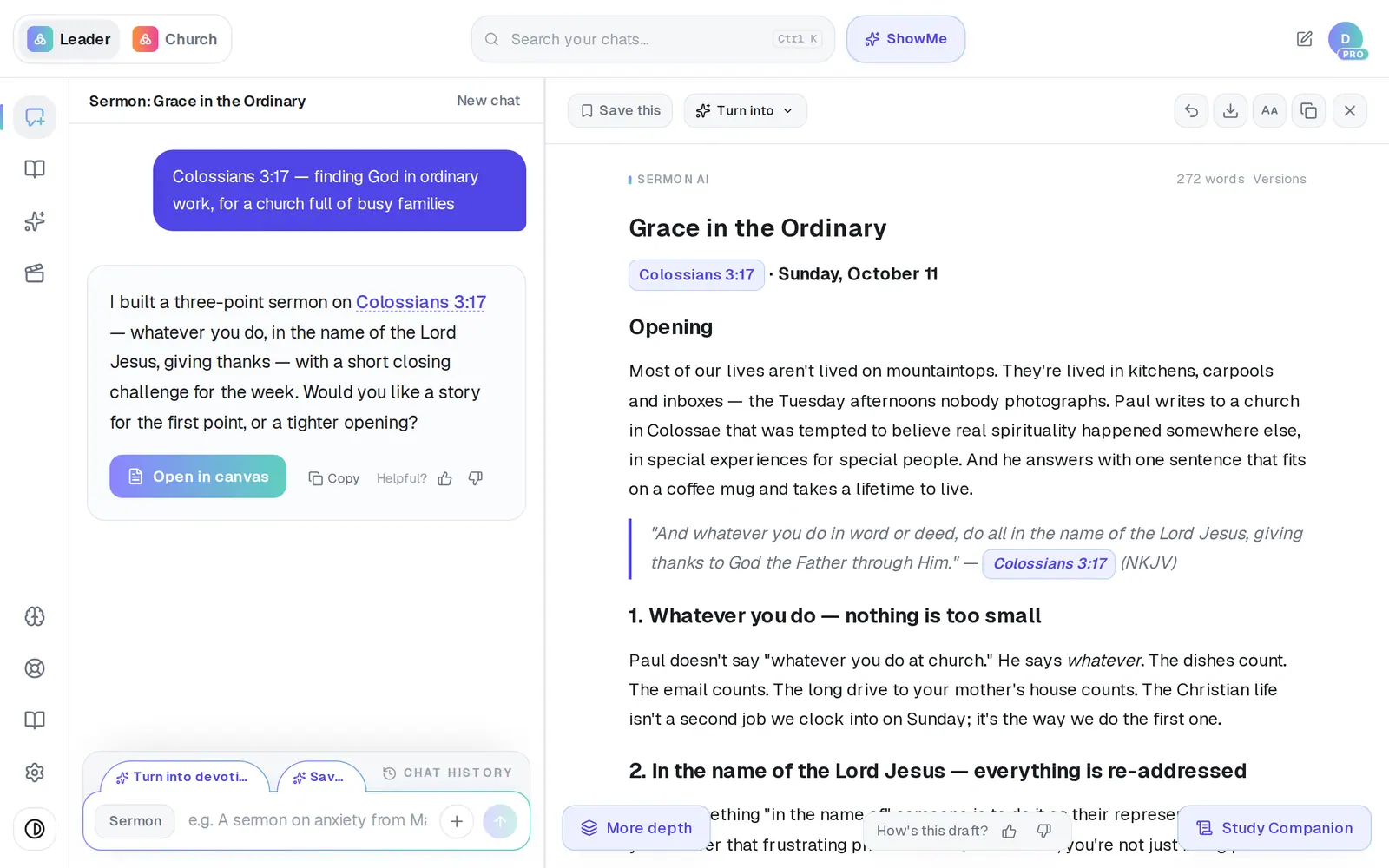
1/6 · Type the change you want in the message box
Good to know
- An “illustration” here means a preaching story, not a picture. For an image, ask for a picture or a graphic by name.
- Aligned won't pass off an invented story as true. It tells an illustration as “Imagine…” or leaves a spot in brackets for one of yours, and flags any first-person story it wrote so you can swap in your own.
- On other formats — a Bible study, a kids lesson, a book chapter — an Improve this tab appears above the message box once the draft is finished. One tap sends a ready-made request to strengthen it; on a Bible study, for example, it asks for more open-ended questions and more Scripture.
- On a phone the draft fills the screen, and you type changes in the Tell me what to change… bar at the bottom. A line above it says Done. when the draft changed, or Replied in the chat. with a See chat button when the answer is a message.
If it’s not working
It said it would make the change, but nothing changed
Aligned catches a reply that only promises a change and writes it again on its own — you'll see “That wasn't right — writing it again…”. If the draft still hasn't changed, send the change once more as one plain instruction, like “add the full John 13:21–30 reading after the introduction.”
I asked a question and the draft didn't change
That's on purpose. A question about the draft (“does the introduction work?”) gets an answer in the chat and leaves the draft alone. To change it, ask for the change: “rewrite the introduction to start with a question.”
It says my draft is unchanged and asks for the paragraph
Very long drafts (over 45,000 characters) can't be reworked in one pass. Work one passage at a time — highlight it in the draft and use Ask AI, or paste the paragraph you want rewritten into your message.
Is that story true?
Ask it: “Cite the source for that story.” Aligned will tell you plainly when it doesn't have one. Then ask it to reframe the story as “Imagine…”, or give it one from your own church — your own story always beats one Aligned writes.
Next, you might want to
- Rewrite, expand or shorten one paragraphHighlight a passage to rephrase, shorten, expand or add Scripture — or research it without touching your draft.
- Undo a change or get an earlier draft backStep back one change, restore an earlier version, or clear the canvas and start over.
- Edit your sermon draft yourselfType straight into the draft, make the text bigger, and get back to the chat when you're done.
- Make Aligned sound like youGive Aligned your website and your sermons so every draft sounds like you and believes what your church believes.