Text your assistant from your phone
Some of your best reminders come to you in a hospital parking lot, not at your desk. Once your number is paired, you can text your assistant like a person, and it texts back — your reminders and daily brief can come by text too.
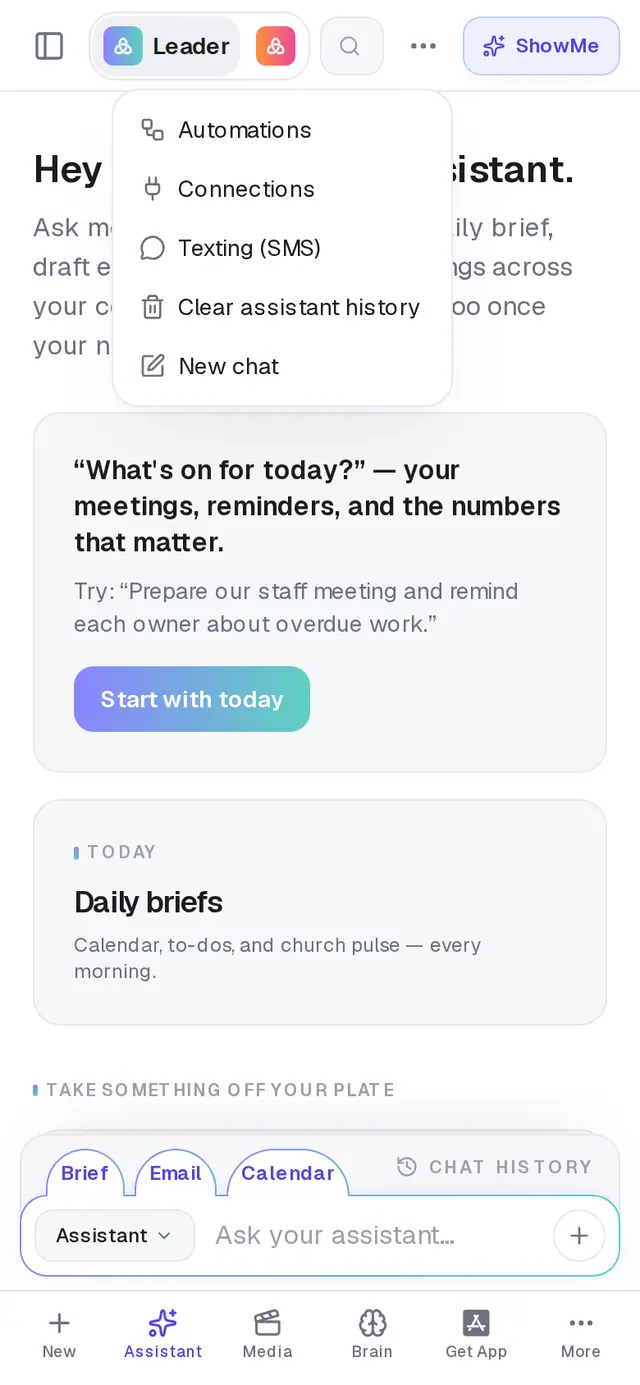
1/7 · In your Assistant, tap ⋯ at the top, then Texting (SMS)
Good to know
- Things to text: “Remind me tomorrow at 9 to call Grace”, “Send me my daily brief now”, “Who's confirmed for Sunday?”, “What's on my calendar today?” A “let me know when…” alert is switched on straight away by text.
- Ask for an email or a calendar event and it texts back a preview. Reply SEND or YES to go ahead, CANCEL to drop it, or describe a change. A preview waits about 30 minutes.
- Ask for something long, like a sermon, and it replies “On it…” first, then texts you a link when it's ready.
- Texts your assistant starts — reminders, your brief — are kept short. The full version is always in the app.
If it’s not working
“That code didn't match (or expired). Send a new one.”
Codes last 10 minutes. Tap Use a different number, then Pair again for a fresh code.
“Please wait … before requesting another code.”
Codes can't be sent back to back. Wait the seconds it names, then tap Pair again.
“That phone number is already paired with another account.”
A number can belong to one account only. Unpair it from the other account first, or pair a different number.
My texts get “This number isn't paired with an AlignedAI assistant yet.”
You're texting from a number that isn't paired. Check that the number under Your phone is the phone you're texting from.
I replied STOP by mistake
Text START and the texts come back on. CANCEL isn't an opt-out — it only drops the email or event you were working on.
Next, you might want to
- Set reminders and to-dos with your assistantGet reminded to call, pray or follow up — once or on repeat — and keep a to-do list in Saved Work.
- Get a daily brief every morningTurn on a short morning summary of your calendar, to-dos and church numbers, and choose what goes in it.
- Meet your personal assistantOpen your assistant, see what it can take off your plate, and clear its history when you want a fresh start.
- Get alerts about gifts and prayer requestsBe told when someone gives for the first time, when a week's giving drops, or when a prayer request comes in.