Upload your statement of faith and documents
Your statement of faith, your policies and your old manuscripts already say what your church believes and how it does things. Put them in the Church Brain and Aligned answers from them — no copying and pasting into every chat.
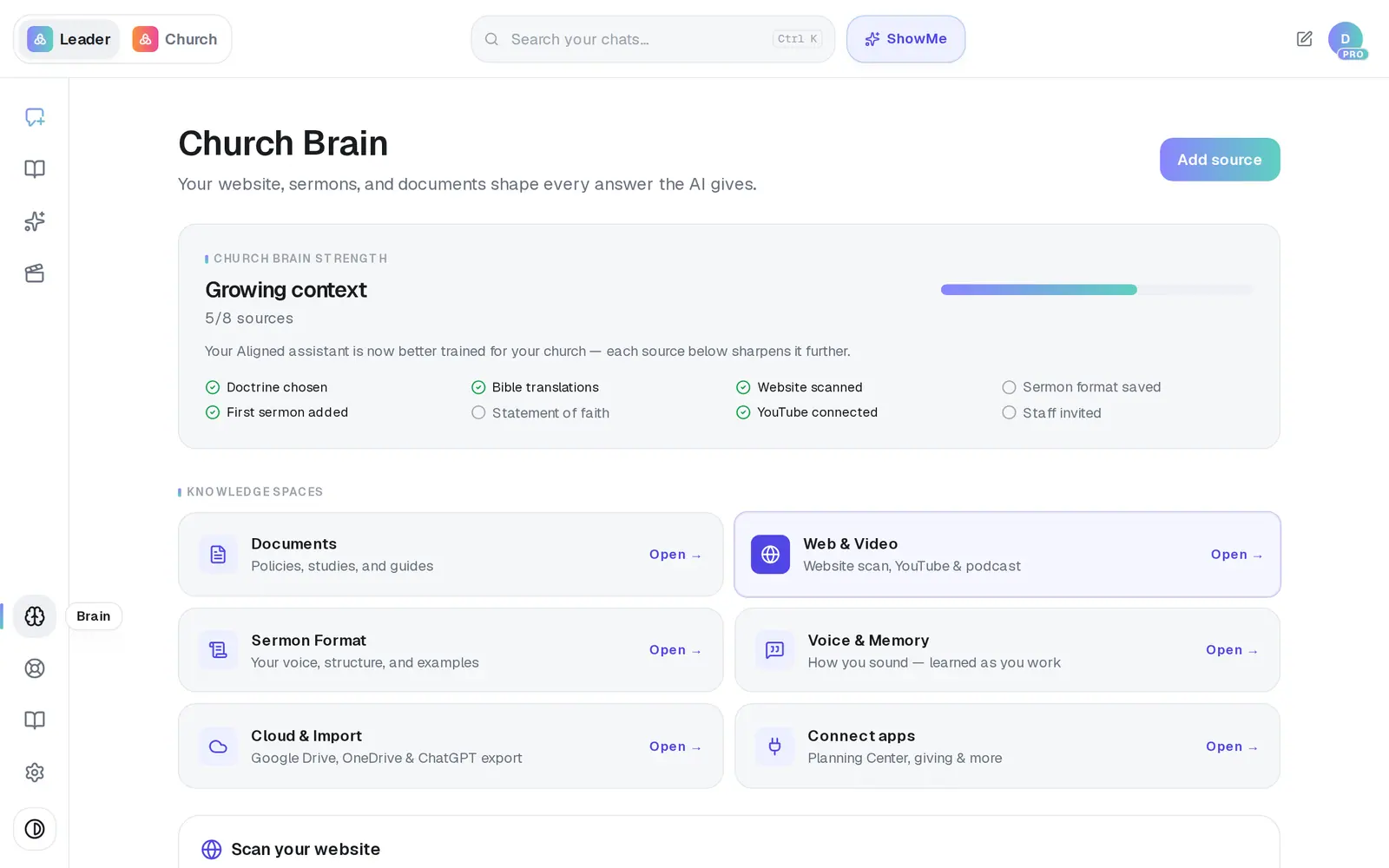
1/7 · In Brain, open Documents
Good to know
- If you add only one thing, make it your statement of faith. It builds your church's own doctrine profile, so on the topics it covers your positions lead over the general tradition you picked.
- Search sources… matches file names only. To look inside your documents, ask in chat: “What does our child safety policy say about background checks?”
- Want Aligned to use all of a document, not just the parts that match your question? Name it in your message: “Using my document called Riverbend Statement of Faith, …”.
- Sermons from YouTube aren't listed here — they're under Web & Video and in Media.
If it’s not working
It says my file is too big — “files can be up to 20 MB”
Split the PDF into smaller parts (most PDF tools can split by page range, such as by chapter) or reduce its file size, then upload those. Any other files you picked still go in.
A file says Failed
No text could be pulled out of it — usually a scanned or photographed PDF. Upload a text-based version (a PDF, Word document or plain text), or paste the text instead.
It has said Processing for a long time
Big files and sermons take longer, and the list checks again by itself for a few minutes. If you saw “document importing is temporarily paused”, that's on our side — nothing was lost, so add it again a little later.
My document seems to have disappeared
Check the Search sources… box. It only matches file names, so a phrase from inside a document hides everything. Clear it to see the whole list.
A Pages file won't read
In Pages, export it as a PDF or Word (.docx) file and upload that, or paste the text in.
Next, you might want to
- Make Aligned sound like youGive Aligned your website and your sermons so every draft sounds like you and believes what your church believes.
- Import files from Drive, OneDrive or ChatGPTBring sermon files and church documents from Google Drive or OneDrive — or your ChatGPT history — into your Church Brain.
- Remove something Aligned learned fromTake a document or a synced sermon out of your Church Brain, or disconnect your channel — and know what each one removes.