Export your people to a spreadsheet
Your treasurer wants a list, your denomination wants numbers, or you'd just like your own copy of your records. Everything in your directory downloads as a spreadsheet file (a CSV) whenever you like — your church's data is always yours.
About 2 minutes Part of Aligned ChurchUpdated September 29, 2026
aligned.church/church
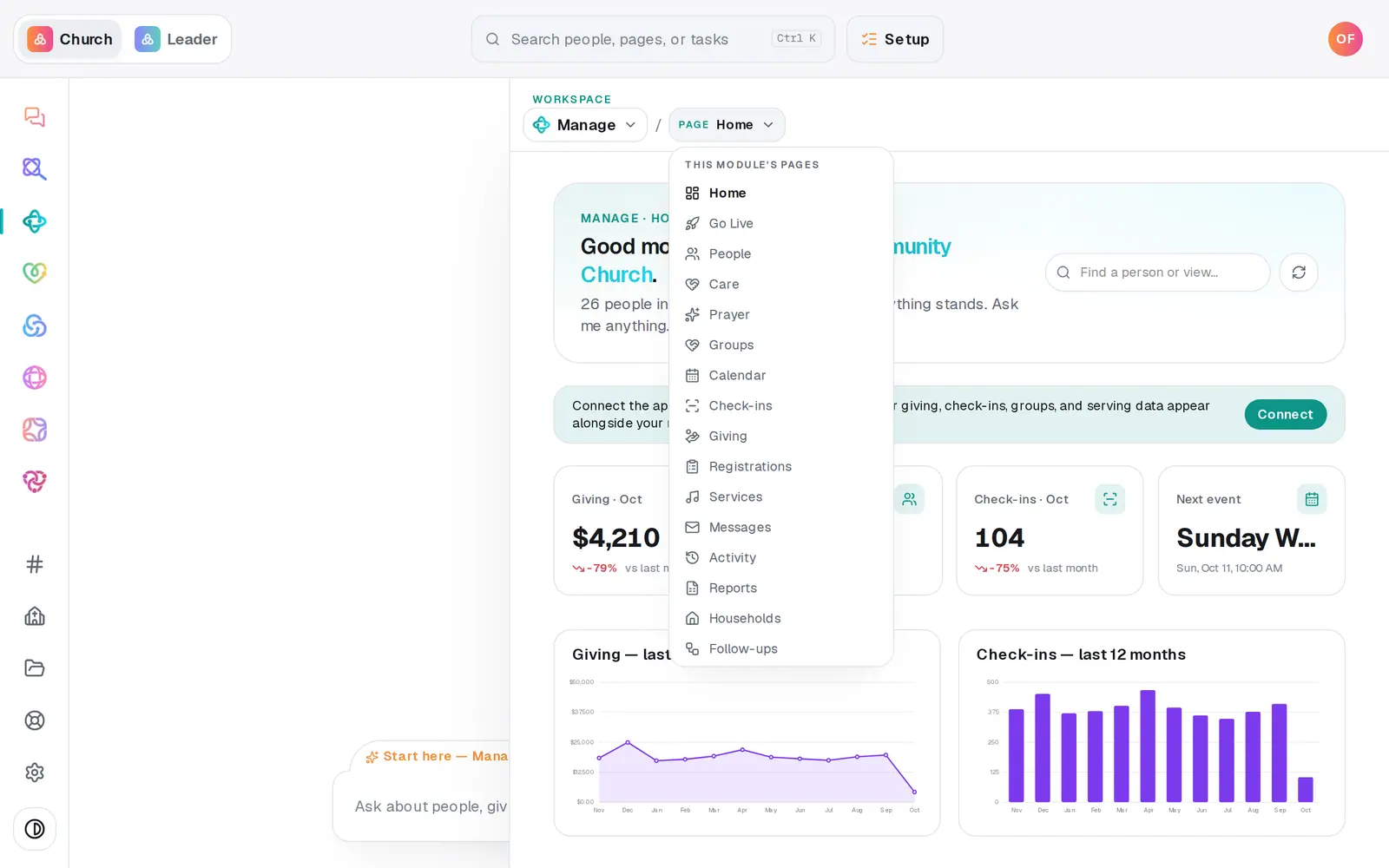
1/4 · In Manage, open Reports
Before you start: The downloads on Reports are for the church owner and staff whose role can edit Manage.
Good to know
- The files open in Excel, Numbers or Google Sheets.
- In the People file, Status is Visitor, Member, Staff or Volunteer, Membership is your church's own wording, and Record status says whether someone is active or archived.
- People who live in a connected app (marked read-only) stay in that app, so they aren't in the Reports downloads. The table's CSV includes them, with a Source column.
- Giving has its own exports — Giving → Donations → Export all downloads every gift.
If it’s not working
I can't see Reports
Your role can only view Manage. Reports are for the owner and staff who can edit Manage — ask your church's owner for access.
My custom fields aren't in the People file
The Reports download carries the standard details. Use the CSV button on the People table instead — it includes each custom field column shown there (fields marked sensitive stay out).
"Export failed — try again."
The file didn't finish building that time. Wait a moment and press it again.
Did this help?
Next, you might want to
- See how your church is doingGet the week at a glance, see members and visitors and who you can reach, and track goals like first-time guests each week.
- Make a list you can email or textBuild a saved list — like this fall's new visitors — that keeps itself up to date and is ready whenever you email or text.
- Bring your people over from your old systemConnect Planning Center, Breeze or Elvanto and bring your people, families, groups, lists and events across — you approve every change.