See how your church is doing
The board meets Thursday, or you want to know whether this fall really is busier than last. Manage's home page gives you the week at a glance, Reports breaks your people down by status and contact details, and Metrics & goals follows the numbers you care about against a goal.
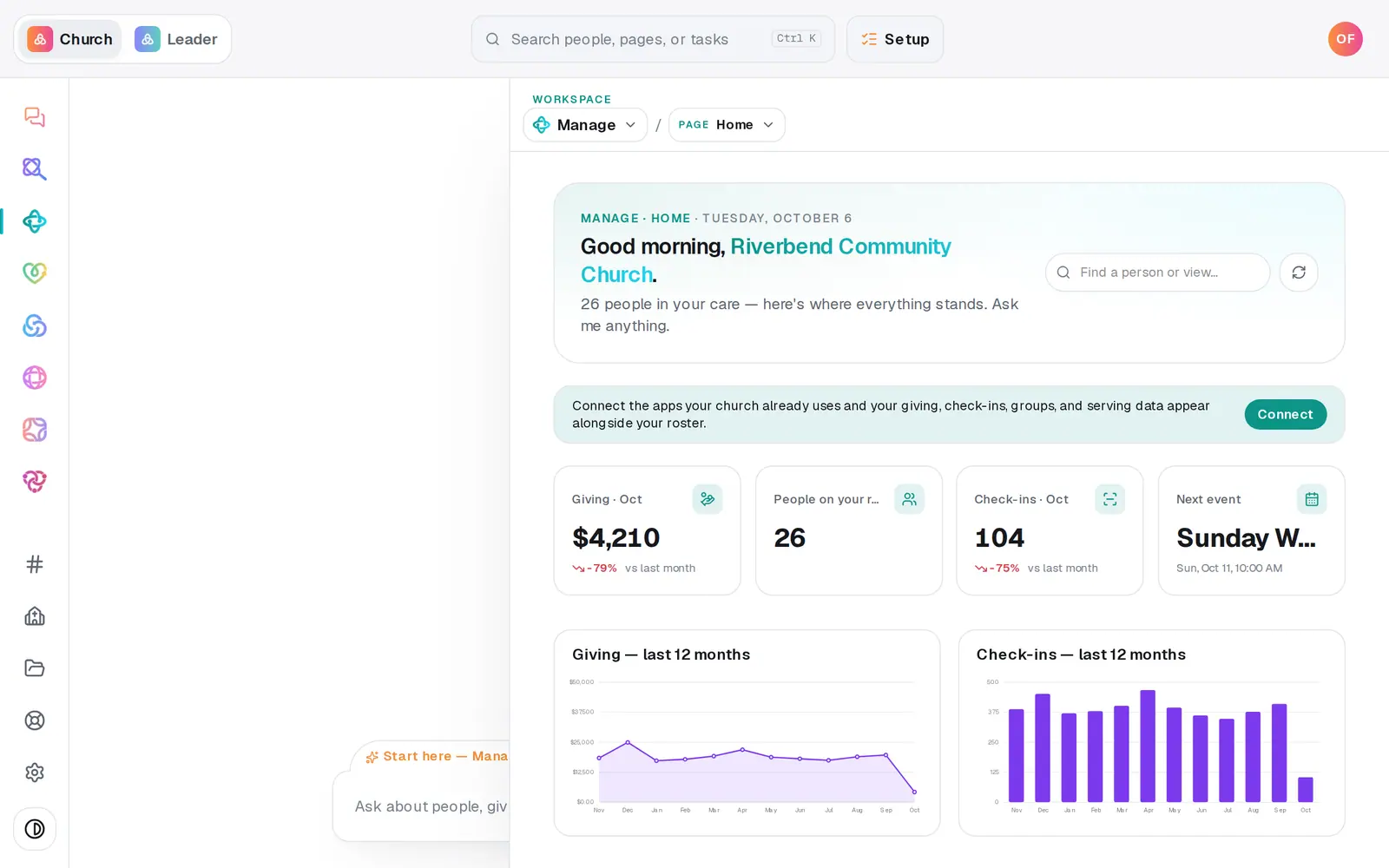
1/6 · Open Manage and read the numbers at the top of Home
Good to know
- The chat can set these up and log them: "track first-time guests each week, goal 5", "log 412 for Sunday attendance". Deleting a metric happens only here — the × on its card, which asks first because its history goes too.
- Ask the chat "Give me a full church report" for a written summary you can paste into a board update.
- Giving reports live with Giving: Open giving reports at the bottom of Reports takes you there.
- Reports counts the people you keep in Aligned. People who live in a connected app (marked read-only) aren't in these numbers.
If it’s not working
I can't see Reports
It says Reports are for staff with manager seats: your role can only view Manage. Ask your church's owner for access if you need it.
A metric has no Record button
It's counted automatically from a saved list, so there's nothing to type in. Its card says which list.
A metric says "source list deleted — record by hand"
The list it counted was deleted. Record now works on it, or track a new metric from another list.
"Couldn't load metrics."
The metrics didn't load that time. Press the refresh button at the top right of the page.
Next, you might want to
- Export your people to a spreadsheetDownload your whole directory, group rosters, attendance or song usage as a spreadsheet — or just the list on your screen.
- Make a list you can email or textBuild a saved list — like this fall's new visitors — that keeps itself up to date and is ready whenever you email or text.
- See who changed whatRead your church's change history — what was added, updated, archived or imported, by whom and when — for everyone or for one person.
- See how attendance is trendingRead today's check-ins and the week-by-week trend, ask the chat how attendance is going, and download every check-in as a spreadsheet.