See how your church did last month
A board meeting is coming, or you'd like to know whether last month was a good one, and adding up the numbers yourself takes an evening. On the 1st of each month, Insights writes up the month before from your own records: who was here, how each ministry did against the month before, and what needs your attention first.
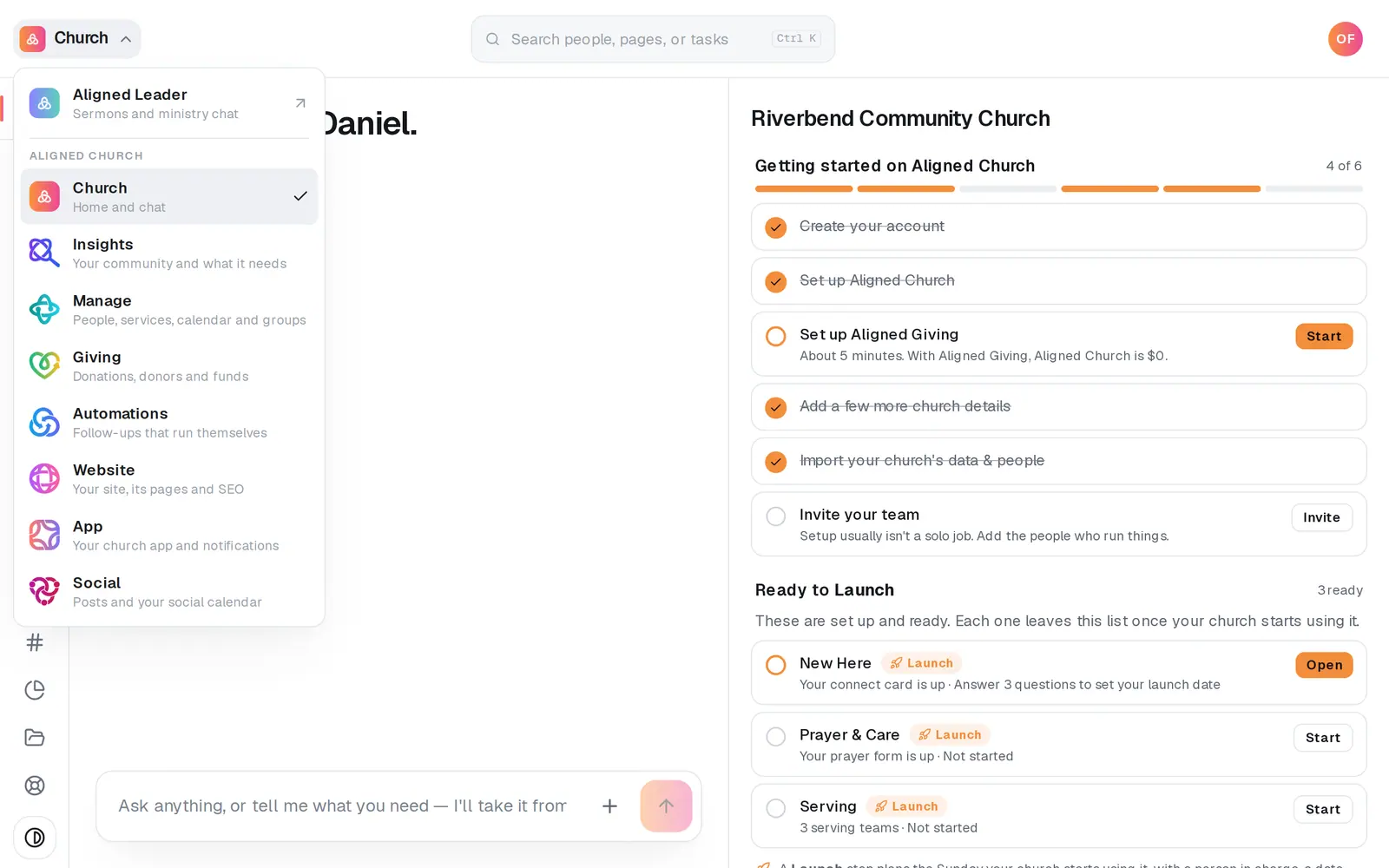
1/6 · Open Insights from the product menu
Good to know
- On the 1st, from 7am your church's time, everyone who can read the report gets a bell, like “September's report is ready”, with its headline. Pressing it opens the page.
- With Giving access, a Giving part shows what came in, after refunds, against the month before and the three months before, with how many people gave and how many gave for the first time. It never shows one person's gift.
- A month is kept as it was written, a record of what was known then. Records added later don't change it.
- Want names? People to check on, on the same rail, lists who came up this week and why.
If it’s not working
I don't see Monthly report in Insights
The report is written from your people in Manage, so your role needs Manage as well as Insights. If it says “The monthly report comes from Manage, so it needs Manage access.”, ask your church's owner to add it to your role.
Last month's report isn't there yet
Insights writes it on the 1st for any church with something recorded lately: attendance by name, a kids drop-off, a group meeting, a serve, a headcount or a gift. If it isn't there, someone with Manage edit access can write it now with the button at the top right, named for the month, like Write September's report (on a phone, just Write report). It takes about half a minute. A role with Manage view access has no button, so ask someone with edit access.
Here at least once doesn't say up or down
That change is said only when both months recorded the same number of Sundays by name: a five-Sunday month next to a four-Sunday one isn't growth. A ministry shows its change once each month had at least 2 Sundays counted and the month before was 5 or more.
There's no giving in my report
The giving part shows only to someone whose role has Giving access. Without it, nothing in the report mentions giving, not even in its words, so ask your church's owner to add Giving to your role. With Giving access, it's left out when Aligned has no gifts recorded for that month or the three months before, as when your gifts are given and kept somewhere else.
It says “Part of this month's records couldn't be read when it was written”
Some of your records couldn't be read at the moment it was written, so the numbers that needed them were left out rather than guessed. A month is kept as it was written, so they won't fill in later.
Next, you might want to
- See who to check on this weekOpen People to check on in Insights to see who came up this week and why, then send a drafted check-in under your own name.
- See how your church is doingGet the week at a glance, read a summary of your whole church before a board meeting, and track the other numbers you care about against a goal.
- See how attendance is trendingRead this Sunday against a usual week and the last 12 weeks against last year, ask the chat, and download the last six months of check-ins as a spreadsheet.
- Record your weekly attendanceType in Sunday's numbers once a week, from the room at each service to first-time guests, and see whether your church is growing.