Find out why a gift didn't go through
A donor says their gift didn't work, or a recurring gift has gone past due. Declined charges are kept in Donations with the reason the card's bank gave, in plain words, so you can answer them without guessing.
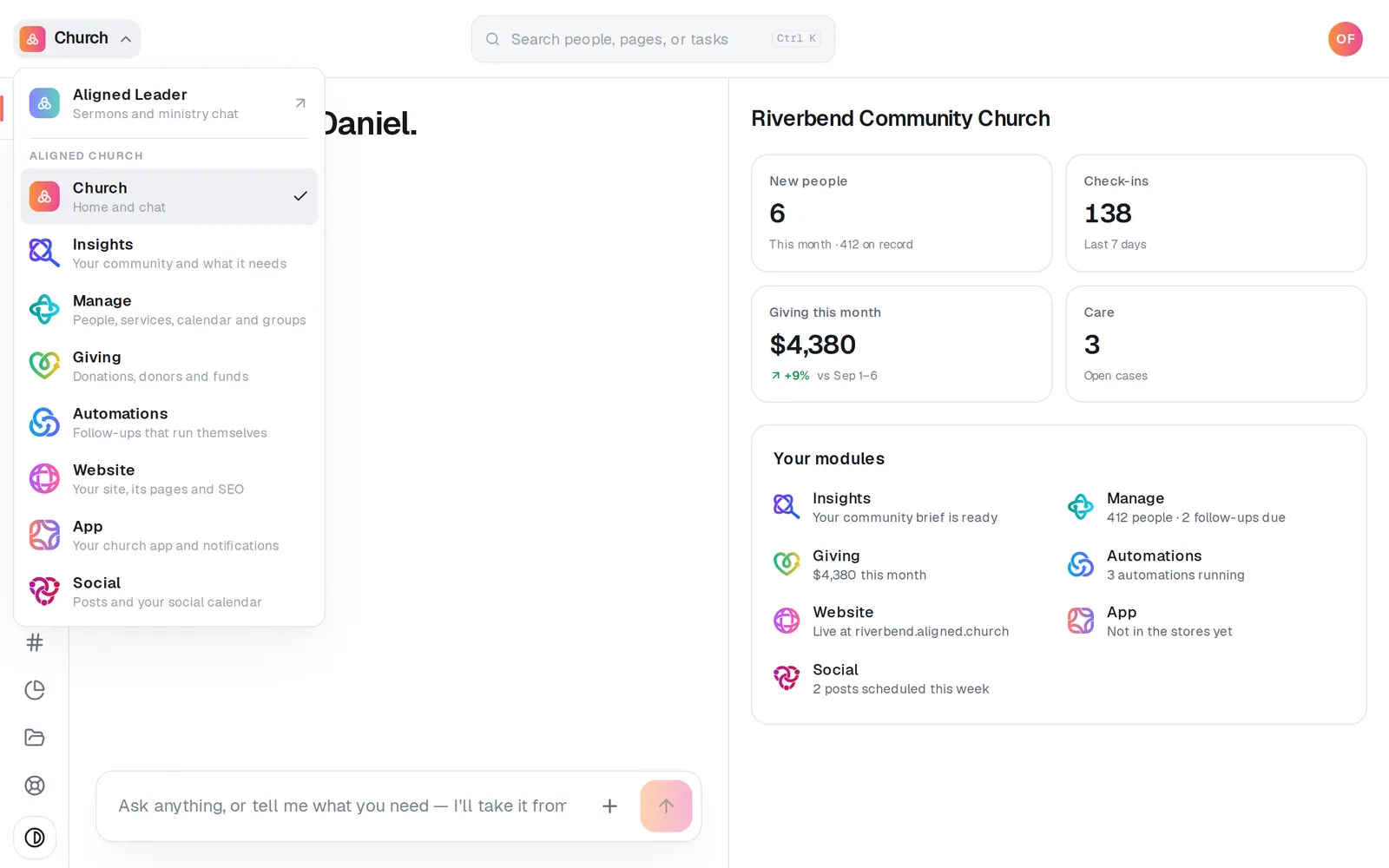
1/5 · Open Giving from the menu at the top left
Good to know
- The card's bank decides a decline, and a church can't override it. The donor can call the number on the back of their card, or give with another card.
- “It didn't go through because of a technical problem. Support can see the details.” means the payment system answered with an error rather than the bank's decision. The donor can try again.
- For recurring gifts, ask the Giving chat “Who is past due?” or “Any failing cards?”. It lists the gifts that aren't collecting, with how many charges failed.
If it’s not working
The donor's gift isn't under Failed
A card turned down before anything was charged never reaches the list: for example, a card that couldn't be saved, or the bank's check of a card for a gift set to start later. Nothing was charged, so there's no gift to show. The donor can try again with another card.
It says “No reason was recorded.”
Nothing came back with the failure to say why. Nothing was charged; the donor can try again, or give with another card.
A recurring gift's charge failed
Its gift shows Past due on the Recurring tab of Donations. The donor can update their card from the manage link on any receipt; to send it to them, press Donors on the left rail, click their name and press Copy manage link.
Next, you might want to
- See and manage recurring giftsSee who gives on a schedule, spot a card that has stopped working, and stop a recurring gift when a donor asks you to.
- Find a gift or a donor's giving historyFind any one gift, and look up everything a donor has given, down to the link they use to manage their own giving.
- Refund a giftSend all or part of an online gift back to the donor, right from the gift itself.
- Update the card you give withPut a new card on your recurring gift, or fix a gift that didn't go through, from Your giving.