Fix, edit or delete a post
A typo in tomorrow's post, a time that changed, a post that never showed up on Instagram — every one of them is fixed from the same page. Posts that need you sit at the top, and anything that hasn't gone out yet can still be changed.
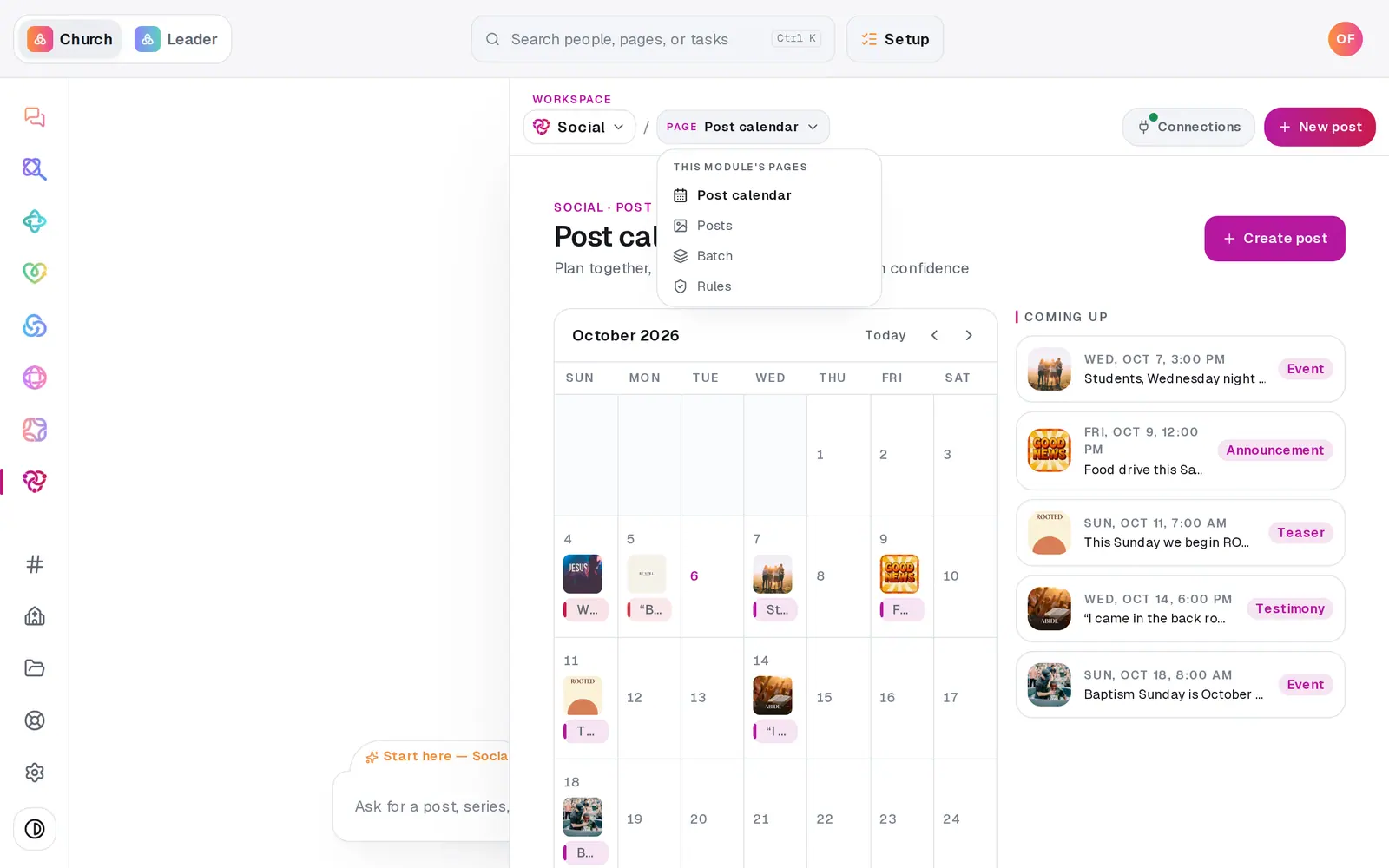
1/7 · In Social, open the page menu and choose Posts
Good to know
- Fixing words is quicker in the Social chat: "change tomorrow's caption to …" or "make the caption say 10am instead of 9am". It shows the new wording in full and saves only when you tap to confirm. Name a platform to change just that one.
- Want a post off the schedule without losing it? Open it with the pencil and press Save draft — it moves to Drafts and waits.
- "Retry my failed post" in the Social chat does the same as the Retry button, and adds a Reconnect button when the account behind it has expired.
If it’s not working
My post failed and Retry fails again
The login behind it has most likely expired. Press Connections — an account showing amber Expired needs Reconnect and a fresh sign-in. Then press Retry on the post.
It went to one of our Facebook Pages but not the other
When some Pages take a post and others don't, it's filed as Published with a note saying which Pages missed it. Don't retry it — that would post it twice to the Pages that already have it. Fix the missing Page (usually a Reconnect) and post there by hand.
I deleted a post that already went out, and it's still on Facebook
Deleting takes a post off your list in Aligned. It doesn't remove it from Facebook, Instagram or X — delete it there as well if it needs to come down.
There's no pencil on my post
It has already been published, and a published post can't be changed. Write a new post with the correction if you need one.
It says "Couldn't delete that post"
Nothing was removed. Reload Social and press the bin again. If it keeps happening, message us from Help.
Next, you might want to
- Connect your Facebook Page and InstagramLink your church's Facebook Page, Instagram and X so scheduled posts go out on their own — and fix a connect that didn't finish.
- Schedule posts for the week aheadPick a day on the Post calendar, choose where each post goes and when, and let your connected accounts post it for you.
- Write a post about this SundayDraft a post with a photo and captions written in your church's voice — no connected account needed to start.
- Set when you do and don't postKeep posts off the days you choose, cap how many go out, and set the hours they can publish — every schedule respects them.