See how your people are doing, and who's ready to serve
You'd like to know who's doing well, who's gone quiet and who's ready for more, without building a spreadsheet. Your people compares each person with their own usual pattern, sorts everyone by how they're doing, and lists who looks ready to lead a group or start serving.
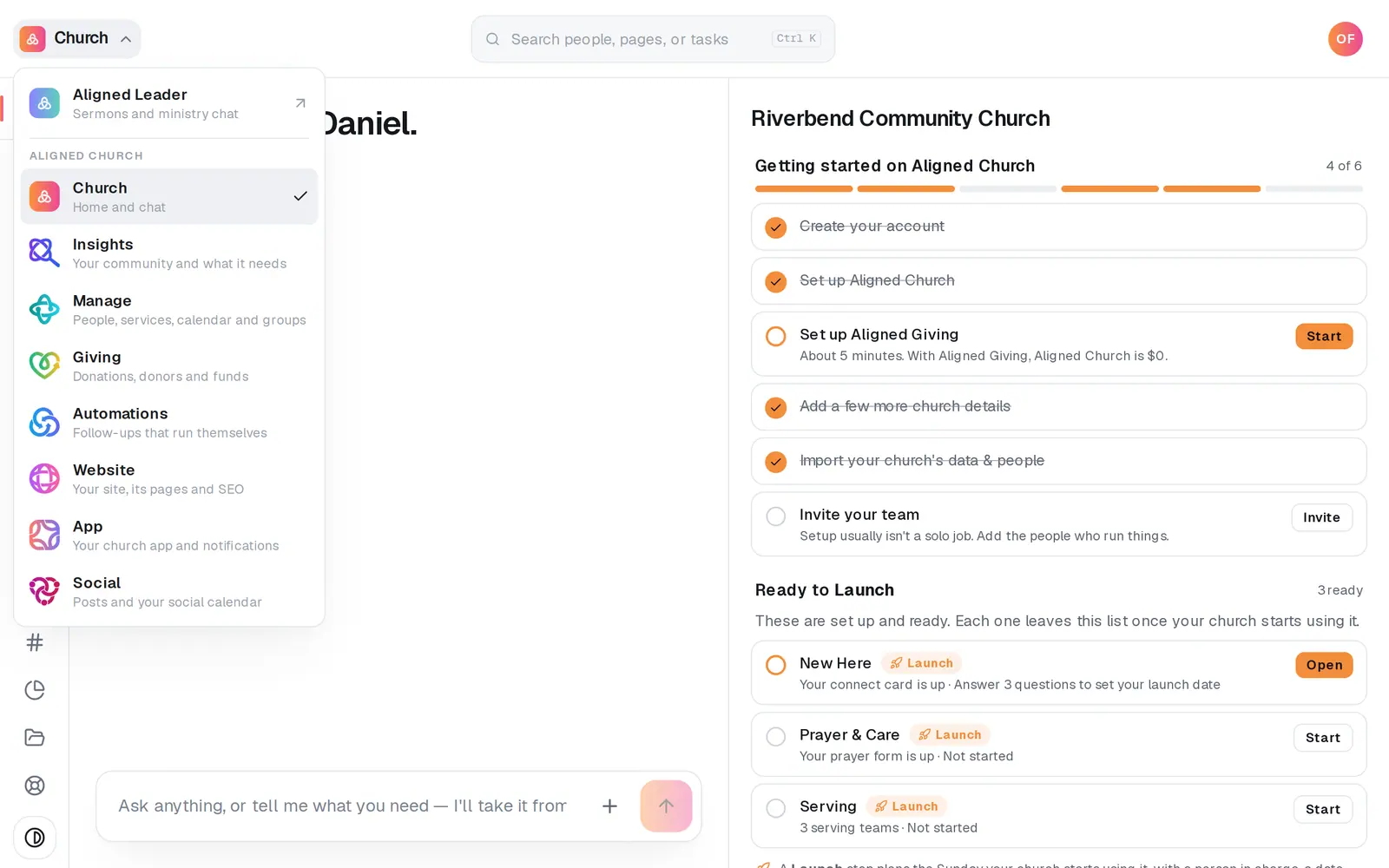
1/6 · Open Insights from the product menu
Good to know
- With Giving access, the Giving patterns tab shows households whose giving changed against how often they usually give, never how much, and a Could give list of people here most weeks, in a group or serving, with no gift on record this year. Amounts never show, and a message to them should ask how they are, never about giving.
- Children aren't listed. They count toward their family.
- The page reads your people again every time it opens. Refresh at the top right reads them again right away.
- Want this week's list of who to reach out to? That's People to check on, just above Your people on the rail.
If it’s not working
I don't see Your people in Insights
These pages read your people from Manage, so your role needs Manage as well as Insights. If a link says “Your people come from Manage, so these pages need Manage access.”, ask your church's owner to add it to your role.
Giving patterns says “Giving patterns need Giving access.”
Ask your church's owner to add Giving to your role. Until then, nothing about anyone's gifts is read for you.
Someone who comes every week says “No attendance recorded”
Only attendance recorded by name counts, like Kids check-in, group attendance and serving schedules. A headcount never puts a name to anyone. Planning Center check-ins and gifts count once the person is linked, which importing your people from Planning Center does: a line at the top says how many it checked in who aren't in Aligned yet, with Import your people. Planning Center's service schedules and group attendance aren't read yet.
Ready for more says “No one yet”
The line says what it's looking for. Ready to lead a group needs a group member of 6 months or more who comes to most meetings and serves. Could serve needs someone first seen 12 or more weeks ago, here most weeks, who isn't on a team.
Next, you might want to
- See who to check on this weekOpen People to check on in Insights to see who came up this week and why, then send a drafted check-in under your own name.
- Schedule volunteers for SundayPut people on serving teams, ask them to serve on a date, see who confirmed, and plan around the weeks people are away.
- Take small group attendanceTick off who came to group tonight, count your visitors, and save it, from your phone or your computer.
- Check kids in safely on Sunday morningSet up KidSecured™: share your kids check-in link, give volunteers their live list, and put the right people on your kids check-in team.