Switch your giving to Aligned Giving to pay $0
Keeping your own giving platform means paying $47 a month, all in, for Aligned Church. Once your giving runs through Aligned Giving, your plan drops to $0: the processing fees on your church's online gifts are what pay for Aligned Church. Aligned brings your donors across, and its team moves their saved cards and recurring gifts, so nobody sets up their giving again; then you turn your old platform off.
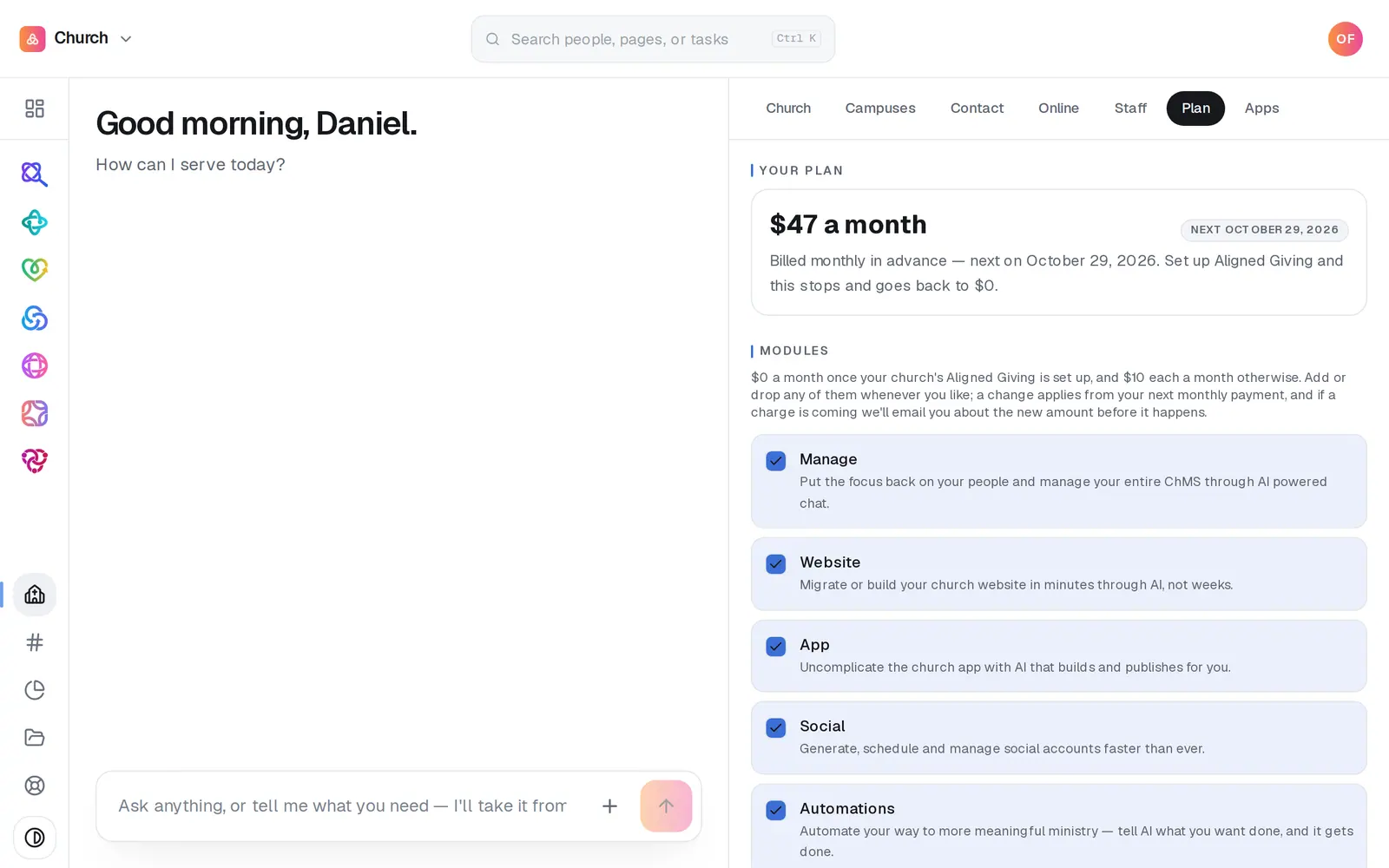
1/6 · See where you stand on Your church → Plan
Good to know
- Aligned Giving has no monthly fee. Each gift carries a processing fee: 2.9% + 30¢ for cards, and 1% + 30¢ for bank transfers.
- Still on your free trial? Once your Aligned Giving application is approved, you move onto the longer window for setting up giving.
- Cancel your old platform after you've told your donors and before the first charge on Aligned, so nobody's giving stops untold and nobody is billed twice. Switch & migrate's Cancel the old platform step says the same.
If it’s not working
Giving is approved but the plan still shows a monthly price
The $0 plan follows giving being fully set up: approved, agreement signed and able to take gifts. Open Giving and check its Overview's setup card for what's left.
Our giving application was declined
That decision on that application is final and can't be appealed from inside Aligned. Message us from Support, at the bottom of the left rail, and a person will help with next steps.
I don't see Start
Your application is already under way, so the card's current step says where it stands. Press the button it shows: Continue (or Fix it, when something was sent back) picks up in Giving's chat, and Upload sends a document the review asks for. A step with no button has nothing to press: it says what it's waiting for.
Next, you might want to
- Fill in your giving applicationWho signs and their home address, the church, the giving you expect, the terms and a signature, then the bank and ID numbers, card by card in the Giving chat.
- Move your giving from Tithe.ly, Pushpay or another platformChoose Full Carryover: Aligned brings your donors and history across, and its team moves saved cards and recurring gifts, so nobody sets up their giving again.
- Understand what Aligned Church costsWhat Aligned Church costs, what you can do for free, and where to see exactly what your church pays.
- Tell donors about the moveOnce your donors' saved cards have landed, email them that their card moved with them, send it before the first charge here, then cancel your old platform.