Turn a pile of photos into a month of posts
After a retreat or a big Sunday you have a camera roll full of good photos and no time to write a post for each. Batch reads every photo, writes a caption for it, and spreads the posts across your calendar at the pace you choose. Nothing lands on the calendar until the last step.
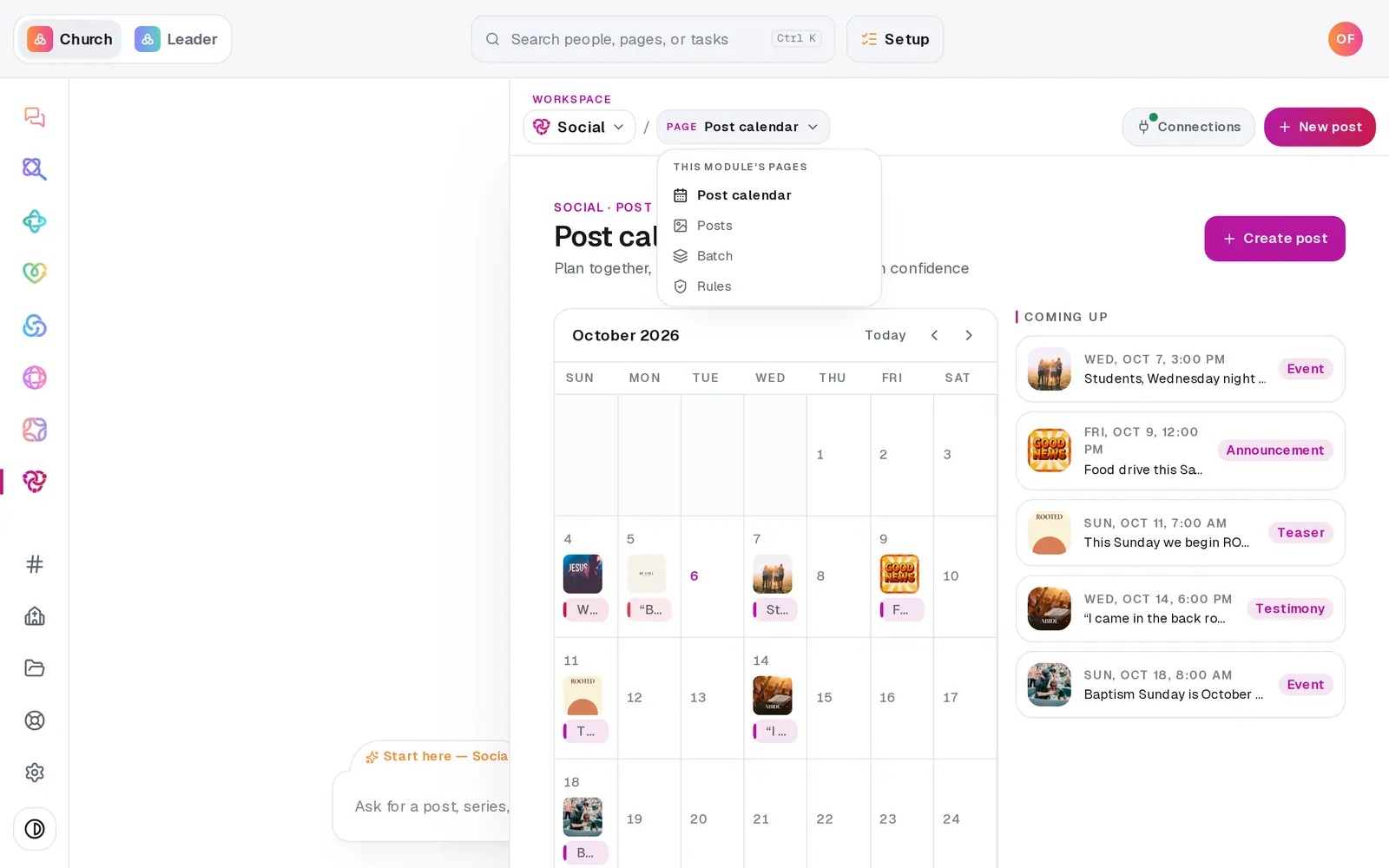
1/7 · In Social, open the page menu and choose Batch
Good to know
- Your photos are saved to the church's photo library as their captions are written, so you can use them again in any post.
- One photo that won't read doesn't stop the rest — it says so on its row. Take it out with its × and carry on.
- Only the first part of a caption thread goes to X for now.
If it’s not working
It says "That's the limit — 20 photos per batch"
Schedule this batch, then start a second one with the rest of your photos.
The Schedule button stays grey
Either no platform is ticked (the note says "Pick at least one platform above."), or the captions haven't been written yet ("Add photos and write the captions first.").
It says "That breaks your posting rules"
Some of the planned dates go past a cap you've set, like posts per day. The list shows which dates. Schedule anyway books them as planned, or change How often or the Starting date and try again.
It says your posting rules don't leave enough open days
Your blocked days and skipped dates leave too few days for that many posts. Pick an earlier Starting date, post more often, or loosen a rule on the Rules page.
A photo says "Couldn't write a caption for that one."
Press Write the captions again — it picks up only the photos that aren't done, and leaves the finished captions alone.
Next, you might want to
- Schedule posts for the week aheadPick a day on the Post calendar, choose where each post goes and when, and let your connected accounts post it for you.
- Write a post about this SundayDraft a post with a photo and captions written in your church's voice — no connected account needed to start.
- Set when you do and don't postKeep posts off the days you choose, cap how many go out, and set the hours they can publish — every schedule respects them.
- Connect your Facebook Page and InstagramLink your church's Facebook Page, Instagram and X so scheduled posts go out on their own — and fix a connect that didn't finish.