Have Aligned write in Spanish
Your church worships in Spanish, or you're preparing something for your Spanish-speaking ministry. One setting makes Aligned write in Spanish — sermons, studies and every answer — and it follows you to every device you sign in on. The app's own menus and buttons stay in English.
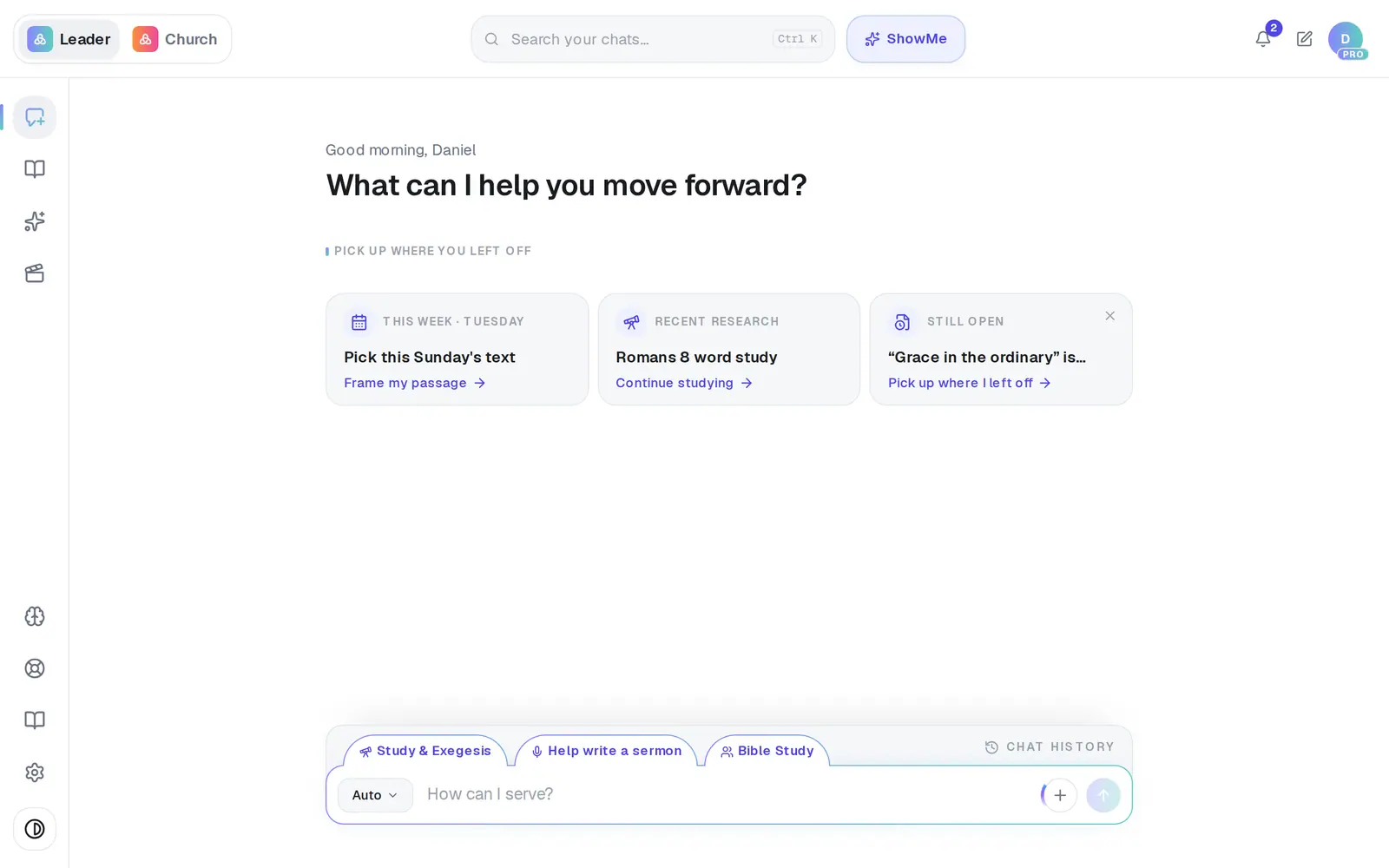
1/6 · Open Settings from the gear at the bottom of the left rail
Good to know
- To go back, open Settings → General and tap English under Language.
- It's your own setting, not the church's. Your staff each choose theirs, and anyone can change it without the owner.
- The two choices are English and Español.
If it’s not working
The menus and buttons are still in English
That's expected. This setting changes the language Aligned writes in; the app's own screens are in English for everyone.
Answers still come back in English
The choice may not have saved — you'd have seen Saved appear. Open Settings → General and tap Español again. If that doesn't hold, message Support.
I can't find Language
It's on the General tab, below Doctrine and Bible translations — scroll down a little. It only appears once you've created an account; before that, answers follow the language your browser is set to.
Next, you might want to
- Change your name or your church's nameUpdate the name Aligned calls you, your church's name and your ministry role.
- Choose which Bible translation Aligned quotesPick the translation Aligned quotes from, and the ones it shows beside it for comparing.
- Write this Sunday's sermonGo from a passage or topic to a full sermon draft in your tradition, ready to shape.
- Find your way around AlignedWhere chat, Brain, Media, Assistant, Saved and Settings live on a computer, and what the top bar tells you.