Know what to work on this week
A sermon week has a rhythm: choose the text early, dig in midweek, draft, then tighten. Aligned's home screen follows it — each day a card offers the next step, and other cards bring back the draft or study you left open.
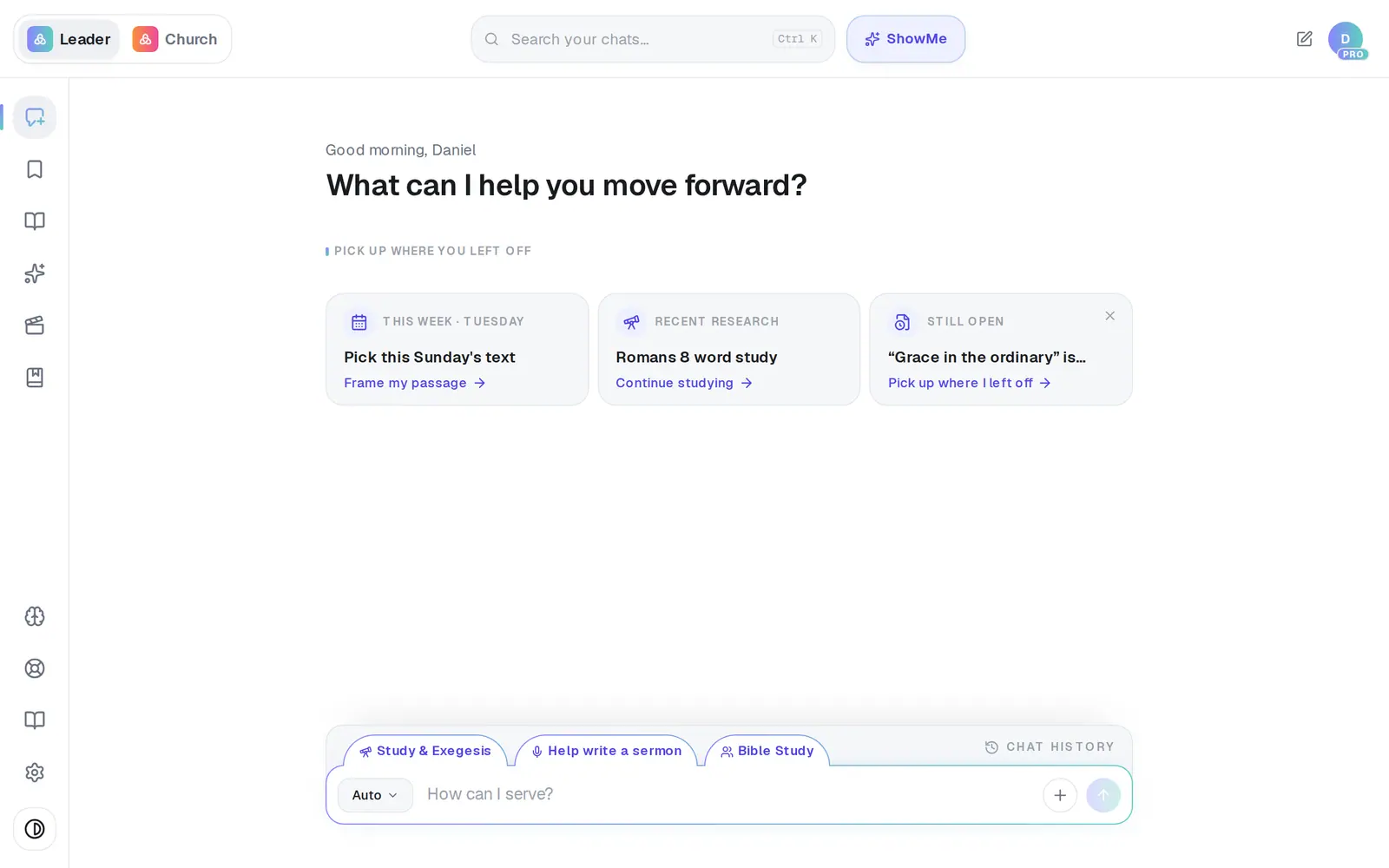
1/5 · Start a new chat and look under Pick up where you left off
Good to know
- The week's cards: Sunday Draft a guest follow-up, Monday Repurpose my sermon (it opens Media), Tuesday Frame my passage, Wednesday Start the study, Thursday Write this Sunday's sermon, Friday Tighten my sermon, Saturday Prep my preaching outline.
- A few days after you sign up, if your Church Brain is still empty, a Your voice card offers to train Aligned on your church.
- On a church's staff? The cards follow your role — if your position doesn't write sermons, you'll see cards like This week's lesson or Serve your people instead.
- On a phone the cards sit in a row you can swipe.
If it’s not working
It's showing the wrong day's card
The day comes from your computer's or phone's clock. Check its date and time zone, then start a new chat.
The cards are gone
They show on a new chat, once you're signed in. Picking a format swaps them for About this mode — tap the highlighted tab again, or start a new chat.
Monday's card says “Sync your sermon library”
Repurposing works from your sermons, so it needs them in Aligned first. That card opens the Church Brain, where you can bring them in from YouTube or your podcast.
Does tapping a card use a request?
Every card except Monday's sends a normal request, and it counts like any other. Monday's only opens Media.
Next, you might want to
- Write this Sunday's sermonGo from a passage or topic to a full sermon draft in your tradition, ready to shape.
- Pick up the draft you were working onReopen yesterday's draft in one tap, and set a “Finish tomorrow” reminder when today isn't the day.
- Study a Bible passage in depthAsk about a passage, open the verses, and dig into context, cross-references and original words.
- Turn Sunday's sermon into a week of contentPick a sermon you've already preached and turn it into a devotional, a Bible study, a kids lesson, social posts or an email.