Pause Pro instead of cancelling
Summer's quiet, or the budget needs a breather, but you'll want Pro back. Pausing keeps everything exactly where it is, charges nothing while you're away, and restarts Pro on the day you choose — with an email a week before.
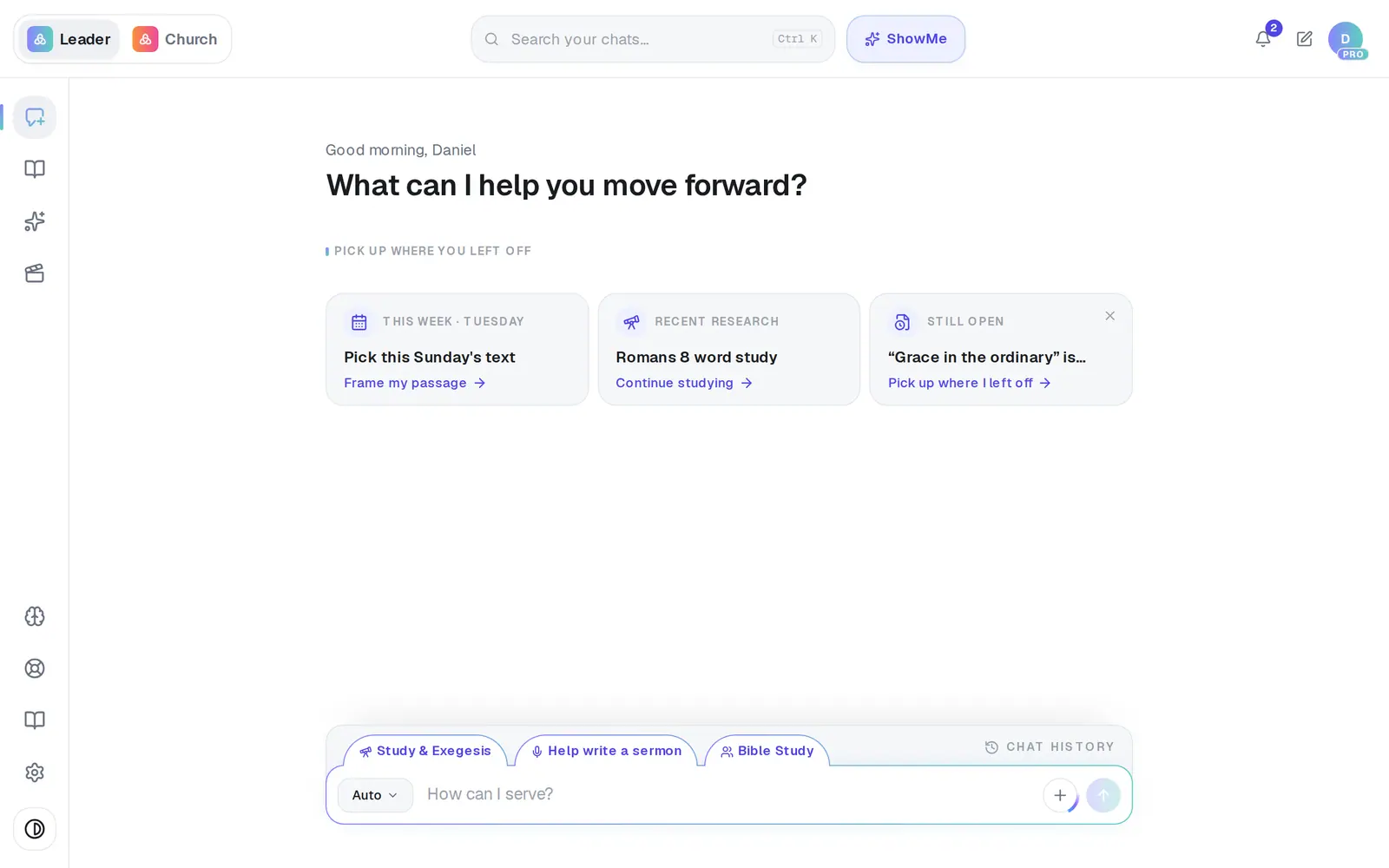
1/7 · Open Settings from the gear at the bottom of the left rail
Good to know
- While your plan is paused, your church is on the free plan and nothing is charged. Everything you've made stays put. Staff seats come with Pro, so your staff are locked out until it restarts.
- A week before Pro restarts, you get an email naming the date, the amount and the card. Its Manage my plan button opens Settings → Billing.
- Want Pro back early? During the pause, Billing shows Your Pro plan is paused with Restart Pro now. Restarting charges the month right away and moves your billing day to that day.
- Changed your mind about coming back at all? Cancel plan still works during a pause. The plan won't restart and nothing more is charged.
If it’s not working
I tapped Just pausing for now and no pause panel appeared
Your plan can't pause — it's yearly, on free days, behind on a payment, gifted, or already has a pause. Close the form with Keep Pro and check the plan card. If you still want a break, cancelling ends Pro right away instead.
It says “Something went wrong. Please try again.”
The pause didn't save, so nothing changed. Try Pause my plan again in a moment; if it keeps failing, message Support.
I want to switch to yearly billing but the Annually switch is gone
It's hidden while a pause is scheduled. Press Undo pause first, then switch.
The card was declined on the day Pro restarted
That's handled like any declined payment: you get an email and a window in the app, and a week to update the card. Keep Pro when your card is declined walks through it.
Next, you might want to
- Cancel Pro (and what happens to your work)Cancel your subscription, what you keep, and when it takes effect.
- Keep Pro when your card is declinedFix a failed payment in a minute, before Pro pauses for you and your staff.
- Switch Pro to yearly billingMove Pro from monthly to yearly and save 20% — without losing the month you've already paid for.
- Get back in when your access is pausedFor staff: what the paused screen means, and how to ask your pastor to turn your seat back on.