Preach from your finished sermon
Scrolling a chat window for your second point is the last thing you need on a Sunday morning. Preach Mode puts your finished sermon on a page of its own, set for a pulpit, a music stand or a tablet: the sermon alone on the screen, in text you can size, on a page that can listen as you preach and keep your place.
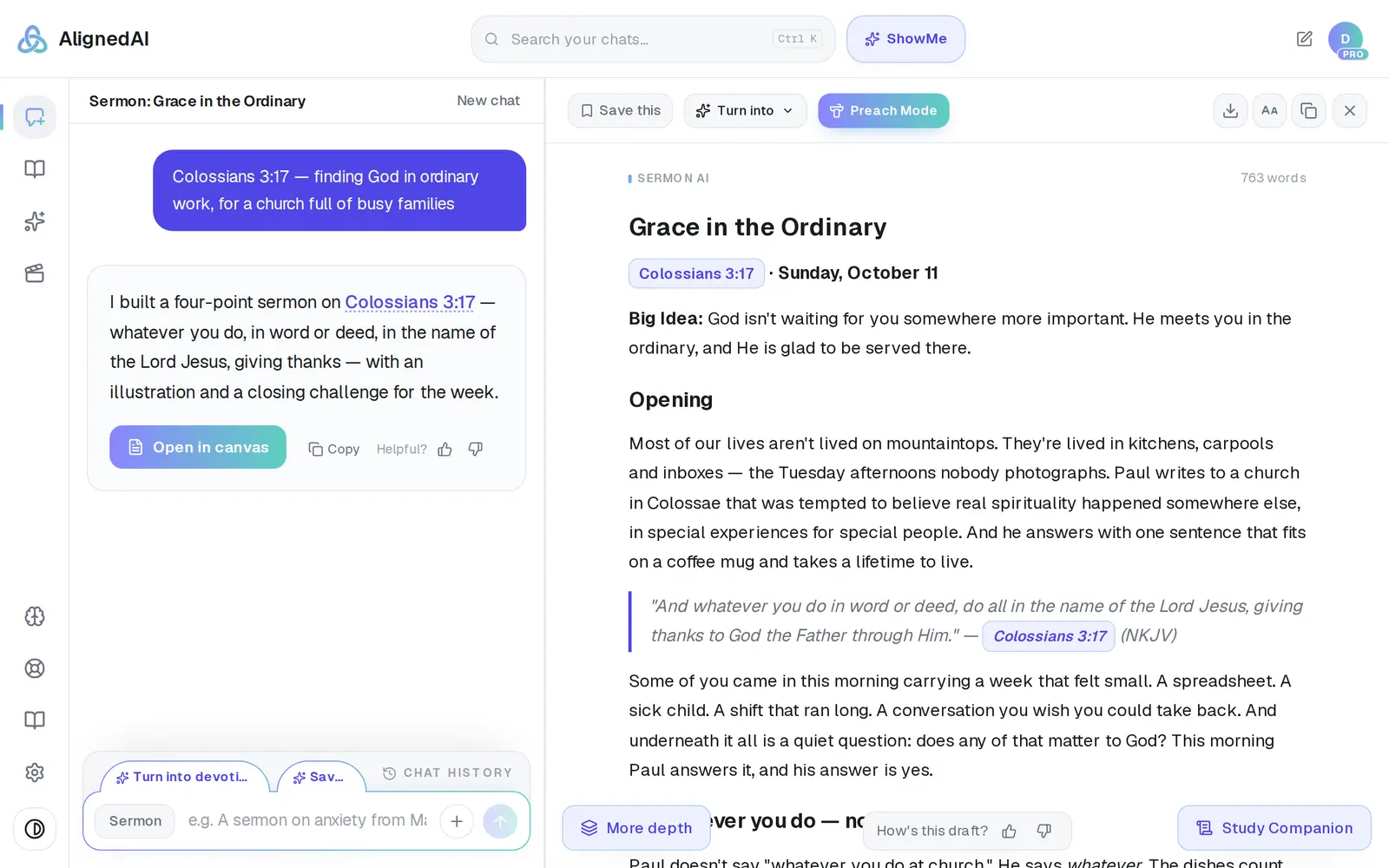
1/6 · Press Preach Mode at the top of your finished sermon
Good to know
- It works the same for a Bible study, devotional, lesson or lecture you'll teach from, and for one you open from Saved: there, Preach Mode keeps the draft as a chat in Chat History, your pulpit edits save to that chat, and the copy in Saved stays as it was saved.
- Open your sermon in Preach Mode once before Sunday, on the device you'll preach from. It keeps a copy there, so a web browser opens it again even with no signal; signing out clears those copies. The iPhone app keeps an open page open but can't reload one without signal, so for a Sunday with poor signal, open it in Safari once beforehand. On an iPad, Safari at aligned.church also gives you the full-size page: the app shows Preach Mode phone-sized there.
- Follow along runs a couple of seconds behind your voice and stops by itself after 20 minutes of hearing nothing. Touch or scroll the page and it holds still for a few seconds. A clicker's Page Up and Page Down keys scroll the page and never type into your sermon.
- Your microphone is on only while Follow along is. What it hears goes to our speech service in short pieces, only to find your place, and nothing is kept: not the audio, not the words.
If it’s not working
There's no Preach Mode button on my sermon
Every Aligned Leader account has it, so it's about the draft: the button waits until the draft has finished writing, and it isn't offered on a book chapter, a church process, an email or anything the Assistant drafts. A sermon that came back as a reply in the chat has no button either: press Save under the reply and open it from Saved, or pick Turn into → Sermon AI under it for a sermon draft in the canvas. Typing “Preach mode” into the chat doesn't switch anything on; it's the button. Copy or Export (Word or PDF) still gets any draft to the pulpit.
It says there's a newer draft of this sermon
Aligned changed the sermon after you opened Preach Mode (an AI edit makes a new draft). The page never swaps the words under you: press Open newer draft when you're ready. Changes you type in the canvas yourself show up in place.
It says “This sermon changed on another device”
The same sermon was edited somewhere this page couldn't hear, like the canvas on your laptop while your tablet had no signal. Nothing was overwritten. Press Keep mine to save this page's words over the other version, or Open the other version.
It says No signal or Offline · kept here
The connection dropped. Follow along waits while you scroll as usual, and picks up again by itself when the connection is back. Edits you make offline are kept on this device and save by themselves once you're back online.
Follow along says “The microphone is off”, or won't start in the Android app
“The microphone is off” means the microphone was blocked. In the iPhone or Android app, open your phone's Settings → Aligned → Microphone. In Safari, tap the aA button → Website Settings → Microphone → Allow. In other browsers, click the icon at the left of the address bar. Then tap Try again. In the Android app, an older version can't give Preach Mode the microphone, so Follow along shows a short notice with OK instead: update Aligned from Google Play, and it works with nothing to turn on. Chrome on an Android phone works too.
Next, you might want to
- Print your sermon or save it as a PDFPrint your manuscript or save a PDF on a computer or phone, and know where the file ends up.
- Copy your sermon into Word or an emailCopy a whole draft, one answer, or last week's sermon straight from your chat list — formatting and all.
- Edit your sermon draft yourselfType straight into the draft, make the text bigger, and get back to the chat when you're done.
- Write this Sunday's sermonGo from a passage or topic to a full sermon draft in your tradition, ready to shape.