Read your meeting notes
The meeting's over and someone's already asking what was decided. Every meeting Aligned records comes back as notes you can read in a minute — a summary, who's doing what, what you agreed — with the full transcript underneath if you need the exact words.
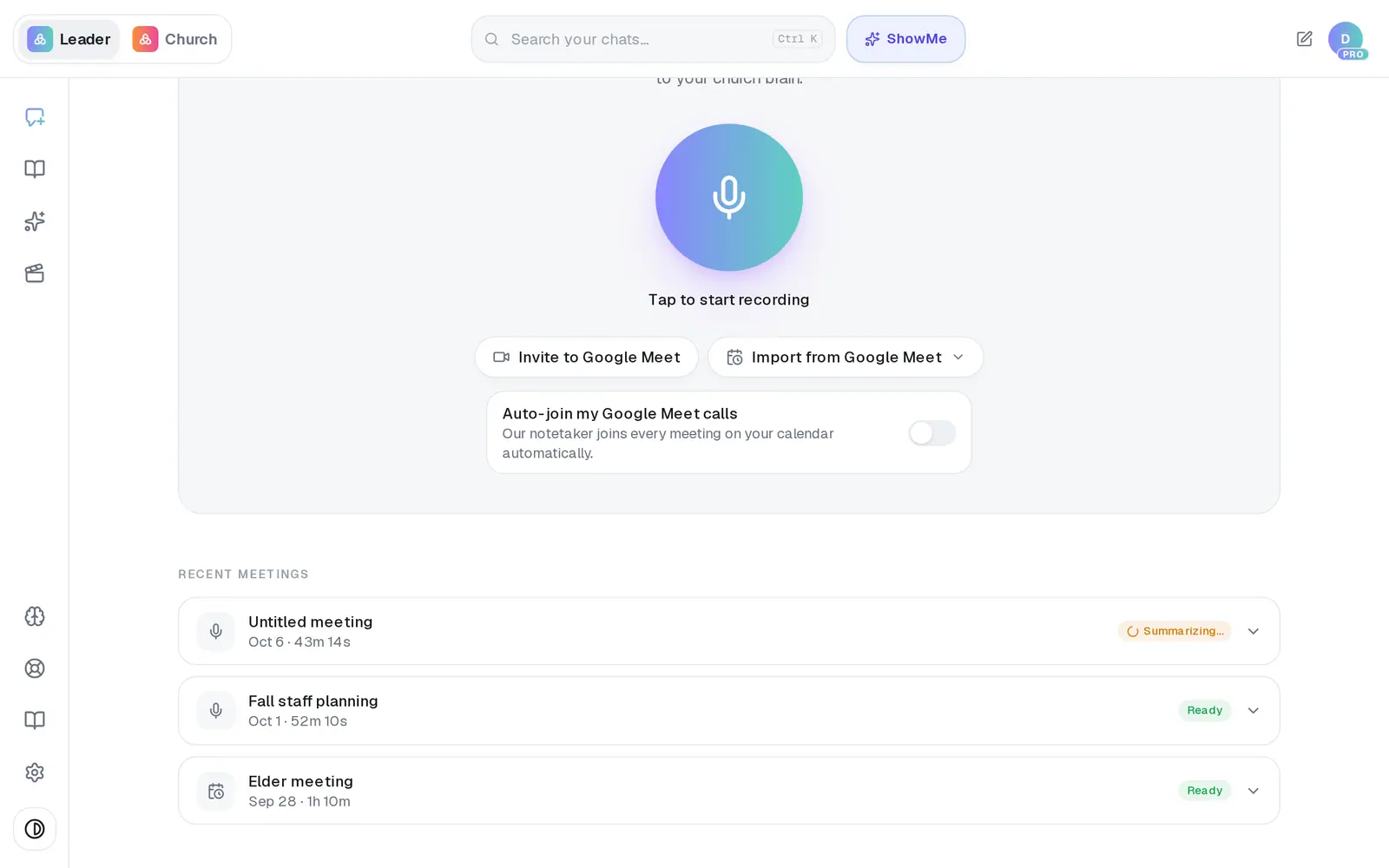
1/6 · Open Meetings and look under Recent meetings
Good to know
- You can ask the chat about a meeting later — "What did we decide about the Harvest Dinner?" Finished meetings are filed into your Church Brain, and your most recent ones are the easiest to ask about.
- Want the action items somewhere you can come back to? Press Save as plan under them and they're saved to Saved Work as a checklist.
- Everything in the notes is ordinary text. Select what you need and copy it into an email or your church's group chat.
- Turning a meeting into a sermon, devotional, study or process counts as one request, like any other draft.
If it’s not working
It says Summarizing… and won't open
The notes are still being written — that usually takes a few minutes, and the list updates by itself. Give it half an hour before you worry. If it still hasn't moved after that, see what to do when a meeting is stuck.
It says Ready, but the summary is thin
The write-up didn't come together, but the transcript is still there — press Full transcript. If the transcript looks right and the summary doesn't, message us from Support and we'll look at it.
There's no Turn into button
It only appears once a meeting says Ready. Meetings that are still recording, summarizing or failed don't have one.
I can't find an older meeting
The list keeps your most recent meetings. An older one's notes are still in your Church Brain: ask the chat about it, or find it in Brain under Documents, named Meeting — and its title.
The chat doesn't remember our meeting
A meeting can show Ready even if filing it into your Church Brain didn't finish, and nothing on screen says so. Don't record it again — message us from Support and we'll check it.
Next, you might want to
- Save a meeting's action itemsTurn who's-doing-what from a meeting into a checklist you can open again from Saved Work.
- Let Aligned take notes in your next meetingRecord a staff or elder meeting on your phone or computer and get a summary, action items and decisions back.
- Fix a meeting that failed or is stuckWhat to do when a meeting sits on Summarizing… or says Failed — and how to make sure the next one comes through.
- Write a church policy or processDraft an AI-use policy, a volunteer procedure or any church process — then save it, share it, or turn it into an automation.