Save a meeting's action items
Everyone left the meeting agreeing to something, and by Thursday nobody remembers what. One press saves the meeting's action items as a checklist with each person's name on their line, so you have it in hand when it's time to follow up.
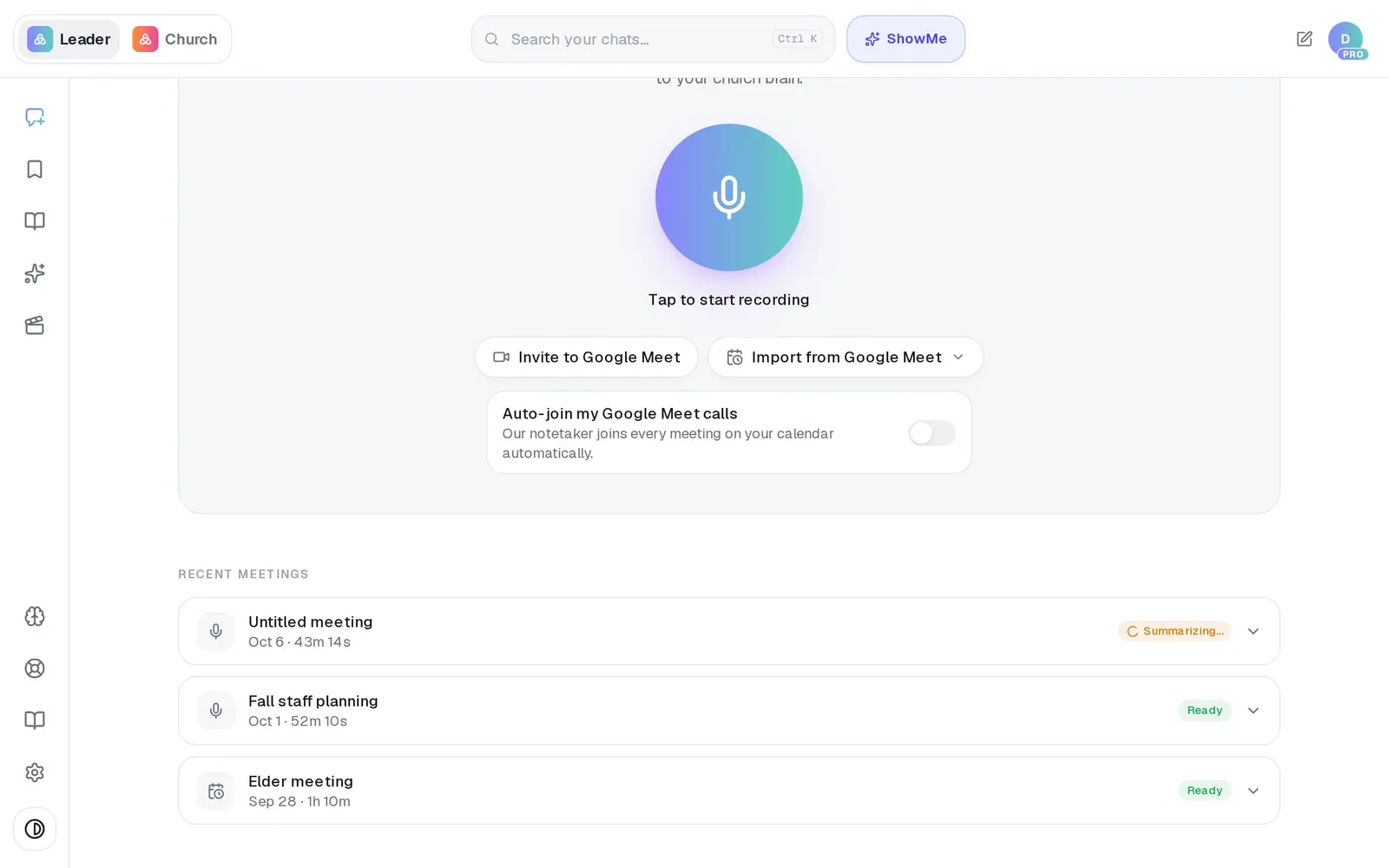
1/5 · Open the meeting from Recent meetings
Good to know
- Nobody is notified. The plan sits in your own Saved Work and doesn't go to anyone's list, so if the team needs it, copy the lines into an email or your group chat.
- Pressing Save as plan again for the same meeting doesn't make a second copy — you get the plan you already saved.
- An item nobody took on is saved without a name at the start of its line.
If it’s not working
The button says Retry
The plan didn't save. Press it again. If it keeps saying Retry, message us from Support.
There's no Save as plan button
It sits under a finished meeting's action items. A meeting that's still summarizing, failed, or had no action items has nothing to save.
My plan isn't in Saved Work
The list doesn't refresh itself after a save from Meetings. Reload the page and open Saved again. The plan is there, and pressing Save as plan again won't make a copy.
I don't see Saved in the left rail
It only appears once you've saved something, and a first save from Meetings doesn't bring it up by itself. Reload the page and the bookmark icon is there.
I can't tick the boxes
The boxes show it's a checklist, but clicking one doesn't tick it. Delete a line once it's done instead, then press Save this to keep that version.
Next, you might want to
- Read your meeting notesOpen a finished meeting's summary, action items and transcript — then turn it into something new, or delete it.
- Find everything you've savedOpen Saved Work, narrow it down by folder, and reopen a saved draft to keep working on it.
- Let Aligned take notes in your next meetingRecord a staff or elder meeting on your phone or computer and get a summary, action items and decisions back.
- Set reminders and to-dos with your assistantGet reminded to call, pray or follow up — once or on repeat — and keep a to-do list in Saved Work.