Switch between Aligned Leader and Aligned Church
Aligned comes in two parts: Aligned Leader, where you write, study and plan, and Aligned Church, where your church's website, giving, texting and people live. They share one account. Aligned Church is always at aligned.church/church, and once your church uses it, a switch at the top of the screen takes you from one to the other.
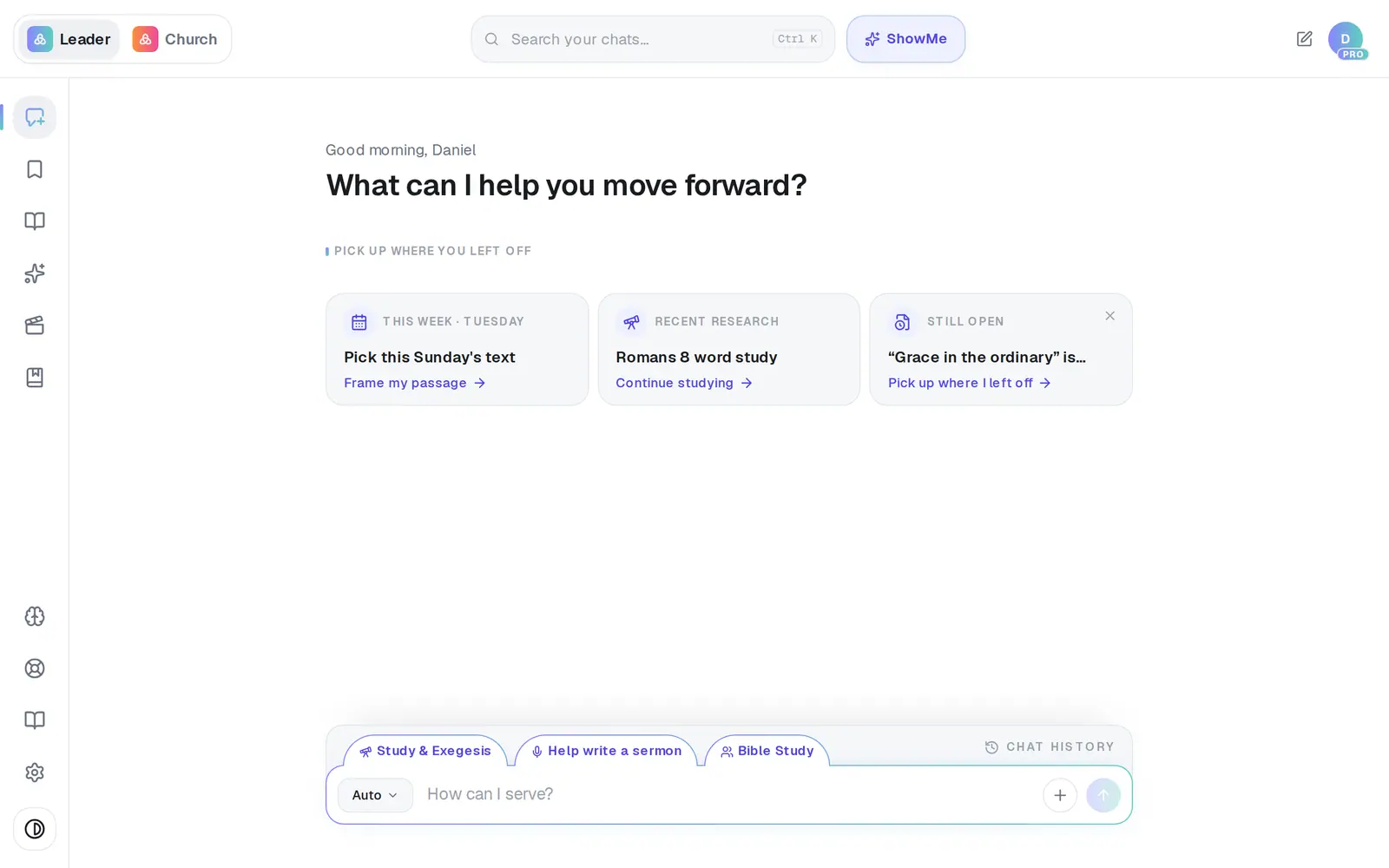
1/3 · Once your church uses Aligned Church, click Church at the top-left
Good to know
- Where you have the switch, on a phone it sits at the top-left of the screen and at the top of the More menu. The phone and Mac apps have it too.
- Aligned Church has plans of its own. Nothing you do there changes your Aligned Leader plan, and Leader Pro doesn't cover Aligned Church.
- The front page at aligned.church has no switch — its two boxes, Aligned Leader and Aligned Church, are the doors.
If it’s not working
An “Introducing Aligned Church” window popped up
It's a one-time introduction for church owners. Try AI Church Management opens Aligned Church, Remind me later brings it back after a day, and the × at the top-right closes it for good.
I signed in and landed in the wrong app
The raised side under Open after sign-in decides; if you don't touch it, you land in the app you first signed up through. Go to aligned.church/church or aligned.church/leader to move over, or use the switch if you have it — nothing is lost.
I can't find the switch
Aligned Leader shows it only once your church uses Aligned Church; until then, aligned.church/church is the way in. Once you have it, it's at the top-left of the chat's header, and on a phone also at the top of the More menu.
Next, you might want to
- Find your way around AlignedWhere chat, Brain, Media, Assistant, Saved and Settings live on a computer, and what the top bar tells you.
- Sign in to AlignedSign in with your password or an email code, pick which app opens, and sign out when you're done.
- Find your way around your church workspaceWhere your modules live, how to change pages, search for anything, and get back to the chat.
- Create your Aligned Church accountTurn your guest workspace into a free account with an email and a password, and keep everything you've tried.